Virtual answering service software answers your business calls when your team cannot. The best option is the one that reliably completes the caller's next step, not the one with the lowest headline rate. Human services bill per minute or per call and run roughly $4 to $7 per answered call. AI services bill per minute or per unique caller and run under $1.
That gap is real, and it is not the whole story. A human receptionist handles a distressed caller, an unusual request, or a judgement call that no script covers. An AI receptionist answers on the first ring at 2am, never has a bad day, and writes a structured record into your CRM every time. Most businesses need a defined split between the two, and the buying mistake is picking a category before defining the split.
This guide gives you the comparison criteria that actually separate these products, a table of the real market options with pricing verified on the vendors' own pages on September 5, 2026, worked cost math for the same 300-call month across six providers, the integration and compliance questions that get skipped, and an implementation checklist. It is not a ranked list, because the ranking depends on your call mix.
What is virtual answering service software?
Virtual answering service software handles inbound calls on your behalf using remote staff, automation, or both, and delivers the result back to you as a message, a transfer, a booked appointment, or a record in a business system.
The term covers four genuinely different products that are often sold as if they were one:
- Voicemail and auto attendant. Software on your phone system. It records or routes. It does not converse, and it does not complete anything.
- Human virtual receptionist. Remote, trained people who answer under your business name using your script. Sold by the minute or by the call.
- AI receptionist. A voice agent that follows approved knowledge, asks configured questions, takes defined actions, and escalates when it hits its boundary.
- Hybrid service. Automation for routine calls, with selected calls escalated to a person.
A fifth category — raw voice-agent infrastructure sold to developers — looks cheap per minute and is a build project, not a product. Include telephony, speech, model usage, monitoring, engineering time, and on-call support before comparing it to anything on this page.
If you are still deciding whether live handling is necessary at all, start with the comparison of an answering service versus voicemail. If you have narrowed it to the automation question, the direct AI receptionist versus answering service comparison covers that decision in more depth.
What are the signs you have outgrown voicemail and a shared inbox?
Most teams buy an answering service late. The cost of missed calls is invisible because nobody logs the calls that never became anything. These are the observable signals that the current setup has stopped working.
Signals in your call data
- Your missed-call rate exceeds roughly 20% in any recurring window. Look at the same hour across four weeks. A consistent gap at lunchtime, at 8am, or on Fridays is a staffing pattern, not bad luck.
- Voicemails are left but not returned within the day. Pull the timestamps. If median callback time is over four hours, your voicemail is a queue, not a safety net.
- A meaningful share of callers leave no voicemail at all. A caller who hangs up on the greeting is a caller who phoned a competitor next.
- After-hours calls are non-trivial. If more than one in ten inbound calls arrives outside business hours, you are paying for demand you do not serve.
- Repeat calls from the same number within an hour. This is the fingerprint of an urgent caller who could not get through.
Signals in how the team works
- Someone senior and expensive is answering the general line because nobody else will.
- Two people call the same lead back, or nobody does, because ownership lives in a shared inbox with no state.
- Call notes exist in someone's notebook, someone else's DMs, and a spreadsheet, and none of them reach the CRM.
- You cannot answer "how many enquiries came in by phone last month" without guessing.
- Coverage collapses when one person takes leave.
- You have started declining to publish your phone number, or hiding it below the fold, because answering it is painful.
The last one is the clearest signal. Suppressing your own phone number to avoid the work is a business decision made by accident.
What you are actually buying
Note that only some of these are answering problems. Duplicate callbacks and lost notes are shared-context problems, and a shared team phone with a common inbox solves them without any answering service. Coverage gaps and after-hours demand are answering problems. Diagnose before you buy, because buying a receptionist to fix a CRM hygiene problem produces an expensive receptionist and the same CRM hygiene problem.
What actually differentiates these products?
Feature lists across this category are close to identical. Every vendor claims 24/7 coverage, lead capture, appointment booking, and integrations. The differences that matter show up under load, and only four of them survive a real evaluation.
1. Outcome completion, not call answering
Answering is table stakes. The question is whether the service completes the caller's job: answering an approved question correctly, capturing every field your sales process needs, booking a confirmed calendar event rather than an appointment request, or reaching an accountable human. Write one sentence per important call type — when this caller phones, the service must understand X, collect Y, and complete Z, or transfer to this person — and treat that sentence as the acceptance test. A polished greeting is not an outcome.
2. Escalation that reaches a person, not a message
This is where most services quietly fail. Ask each vendor what happens on an urgent call at 2am when the on-call phone rings out. The acceptable answers are a defined rotation with a second and third destination, or an explicit, disclosed fallback. The unacceptable answer, which is extremely common, is that "human handoff" means the service takes a message and emails it. That is voicemail with better grammar.
Test schedules, departments, on-call rotations, simultaneous versus sequential ringing, warm versus cold transfer, whether caller context travels with the transfer, and what happens when nobody answers. Require a deterministic path for emergencies, vulnerable callers, complaints, and anything outside the service's authority.
3. Where answers come from and what happens at the boundary
For human services, ask how the script is maintained, who approves changes, how long a change takes to reach the floor, and how a receptionist who does not know an answer is trained to respond. For AI services, ask what knowledge source the model is grounded in, who can edit it, whether edits are versioned and reversible, and what the agent does when it is uncertain. A confident wrong answer is worse than a missed call, because the caller acts on it.
Test with your own difficult inputs: similar product names, strong accents, interruptions, background noise, ambiguous dates ("next Tuesday"), and questions you know are unsupported.
4. Whether the record lands where you work
A transcript emailed to a shared inbox is not an integration. The test is whether the correct record appears in the correct system with the correct fields, deduplicated against what is already there, and whether a failed write is visible to someone. This is covered in detail below, because it is the criterion buyers most often skip and most often regret.
Secondary criteria, in rough weight order
- Caller experience. Answer speed, interruption handling, repetition, hold time, pronunciation of your business name, language coverage, and whether a caller can reach a person on request.
- Security and data control. Data-processing agreement, subprocessor list, access controls, retention settings, recording controls, export and deletion. LimePhone's security overview is a reasonable checklist of the questions to put to any vendor.
- Reporting. Call dispositions, searchable transcripts, outcome reporting, transfer success rate, and unresolved-call tracking. A dashboard of call counts diagnoses nothing.
- Billing clarity. Covered in its own section below.
- Change control. Who builds the initial workflow, how long a change takes, whether you can self-serve, and how you roll back.
- Exit. Number ownership, porting, data and configuration export, minimum term, cancellation notice. Low probability, high cost.
How do the real market options compare?
Prices below were read from each vendor's own published pricing page on September 5, 2026, and are US list prices before tax. Vendors change these; verify before you buy. This table is not a ranking — the models are not interchangeable.
| Service | Model | Metered by | Published entry price | Overage | Best fit |
|---|---|---|---|---|---|
| Ruby | Human receptionists | Minutes | $250/mo for 50 minutes (Starter); $720 for 200; $1,725 for 500 | Not published on the pricing page — ask | Nuanced, brand-led intake where conversation quality is the product |
| Smith.ai | Human-first, AI option | Answered calls | $300/mo for 30 calls (Starter); $810 for 90; $2,100 for 300 | $11.50/call, falling to $8.50/call on Pro | Variable call length, where a call allowance forecasts better than minutes |
| PATLive | Human receptionists | Minutes | $49/mo pay-as-you-go; $99 for 50 minutes; $349 for 200 | $2.99/min down to $1.49/min at 5,000 minutes | Scripted call handling with a wide range of plan sizes |
| AnswerConnect | Human receptionists, 24/7 | Minutes | $350/mo for 200 minutes (Entry, $49.99 setup); $395 for 300; $575 for 400 | $2.50/min on Entry, $1.85/min above | Round-the-clock live cover with chat bundled at higher tiers |
| Goodcall | AI receptionist | Unique customers per agent | $79/mo per agent for 100 unique customers; $129 for 250; $249 for 500 | $0.50 per additional unique customer | High repeat-caller businesses where minutes are a bad proxy for value |
| Aircall AI Voice Agent | AI add-on to a phone platform | Minutes, plus licences | 50 free minutes/mo, then $0.49/min; $0.39/min above 2,550 minutes | Usage-based; calls under 15 seconds not billed | Teams already standardised on Aircall |
| LimePhone AI Receptionist | AI add-on to a business phone | Inbound AI minutes | $59/mo for 200 minutes; $150 for 1,000; $499 for 3,000 | Tier upgrade; requires an active phone plan from $7.50/mo | Teams that want numbers, routing, shared inbox and AI answering in one bill |
Ruby: human receptionists, priced by the minute
Who it is for: businesses where the phone call is the brand — professional services, boutique practices, anything with a high value per enquiry. What it does: 24/7 live answering, custom call handling, lead capture, appointment scheduling, bilingual options, with live chat sold separately or bundled at a stated 20% saving. Pricing shape: minute bundles from $250 for 50 minutes up to $1,725 for 500. The pricing page states there are no additional fees for activation, onboarding, setup or customisation, and that plans differ only in allowance. Limitation: the effective rate at the entry tier is $5.00 per minute. High volumes of short, repetitive calls are the worst possible fit for this meter. Verdict: excellent when conversation quality converts, poor when the calls are all "what time do you close".
Smith.ai: per-call pricing with AI and human tiers
Who it is for: teams whose calls vary a lot in length, where a per-minute meter is unpredictable. What it does: human-first receptionists 24/7, with AI handling and human escalation offered alongside. Pricing shape: per answered call. Starter is $300 for 30 calls, Basic $810 for 90, Pro $2,100 for 300, with published overages of $11.50, $10.50 and $8.50 per call respectively. Limitation: you must pin down what counts as a billable call. Spam, wrong numbers, transfers and follow-up work are the variables that move the invoice. Verdict: the most forecastable human option if your call mix is stable, and the overage ladder rewards buying the right tier up front rather than growing into it.
PATLive: the widest range of human minute plans
Who it is for: businesses that want live answering but do not fit a three-tier ladder. What it does: scripted live call handling, with plan sizes from zero to 5,000 included minutes. Pricing shape: a pay-as-you-go tier at $49/month with a $2.99/min rate, then eleven published bundles; the 200-minute plan at $349 is marked most popular, and the marginal rate falls to $1.49/min at the 5,000-minute tier. Limitation: the granularity is the point, and it also means you can easily sit on the wrong rung. Recheck your plan quarterly. Verdict: the best structure for anyone with lumpy or seasonal volume, because there is almost always a rung that fits.
AnswerConnect: 24/7 human cover with a documented rounding rule
Who it is for: teams that need genuine round-the-clock human answering. What it does: live answering 24/7, scripting, CRM integrations, desktop and mobile apps, with live chat added at Growth and Standard. Pricing shape: Entry $350 for 200 minutes with a $49.99 setup fee, Growth $395 for 300, Standard $575 for 400, with overage at $2.50/min on Entry and $1.85/min above. Limitation: the page states that interactions round up to the nearest minute and bill in one-minute increments, with the first 30 interactions under 30 seconds free each cycle. If your traffic is mostly very short calls, that rounding is the single biggest driver of your bill. Verdict: Growth at $395 for 300 minutes is a better unit rate than Entry at $350 for 200, and it drops the setup fee — a good example of why you should read the ladder rather than the first row.
Goodcall: AI priced by unique customer, not by minute
Who it is for: businesses with heavy repeat calling from the same numbers — clinics, salons, trades, restaurants. What it does: an AI receptionist priced per agent, metering unique customers per month rather than usage. The pricing page states plainly that it does not charge for number of calls, call minutes, or tokens consumed. Pricing shape: $79/agent for 100 unique customers, $129 for 250, $249 for 500, with $0.50 per additional unique customer and a 15% annual discount taking Starter to $66. Limitation: the meter is only favourable if your callers actually repeat. Test the definition against your data: does a customer calling from a mobile and a landline count once or twice? How is spam handled? How long is caller history retained before someone becomes "new" again? Verdict: the most differentiated pricing model in the category, and genuinely cheap for the right traffic shape.
Aircall AI Voice Agent: an add-on for an existing platform
Who it is for: teams already running Aircall. What it does: inbound AI voice handling integrated with Aircall numbers. Pricing shape: 50 complimentary minutes a month, then $0.49/min to 2,550 minutes and $0.39/min above that, billed to the exact decimal minute, with calls under 15 seconds not billable and an outbound origination fee of $0.015 per attempt that is not included in any minute bundle. Limitation: the AI rate is only part of the cost. The underlying phone licences, minimum seat counts, numbers and call charges all stack on top. Verdict: sensible if you are already committed to the platform; an expensive way in if you are not.
How does each pricing model bite you at scale?
A $79 subscription, a $300 call plan and a $0.49 per-minute rate are not comparable numbers. They meter different things, include different layers, and fail in different directions as you grow.
Per minute
Predictable when call duration is stable, brutal when it is not. The questions that change the invoice: does billing round up to the whole minute (AnswerConnect's page says yes), or bill to the decimal (Aircall's help documentation says yes)? Does hold time count? Does the time the receptionist spends on after-call work count? Does a transferred call bill for the whole duration or only the handled portion? At $1.85 to $5.00 per minute for human services, a 30-second rounding rule applied to 400 short calls is a line item, not a rounding error.
Per call
Better when call lengths vary wildly, because a four-minute call and a forty-second call cost the same. The risk moves to definitions. Ask what counts as an answered call: does a hang-up at three seconds count? Does a spam call count? Does a call that is immediately transferred count? Does a follow-up callback count as a second call? Then look at the overage ladder, because per-call overages in this category run $8.50 to $11.50 and one busy month can cost more than the next plan up.
Per unique caller
Attractive for repeat-heavy businesses and a trap for acquisition-heavy ones. If most of your calls are first-time enquiries, every call is a new unique customer and the model degenerates into per-call pricing at a much lower rate. If most of your calls are existing customers, it is the cheapest meter in the market. Run the count on three months of caller ID data before assuming which you are.
Per seat or per user
Common when AI answering attaches to a phone platform, and the model that surprises people at scale, because the cost tracks headcount rather than call volume. A ten-person team with 200 calls a month pays more than a two-person team with 800. Check minimum licence counts, whether the AI is priced per agent (Goodcall's is) and whether every user needs a licence or only the ones who take calls.
Bundle plus overage
Always model three volumes: quiet month, expected month, and your worst month in the last two years. A cheaper base plan is frequently more expensive after overage. AnswerConnect's own ladder demonstrates it — Growth at $395 for 300 minutes beats Entry at $350 for 200, because Entry's 100 extra minutes at $2.50 would cost $250.
Worked example: 300 inbound calls, 750 minutes, one month
Take a business with 300 inbound calls a month averaging 2.5 minutes, of which 180 come from distinct callers. Here is what the same month costs on each published model, using the entry ladders above and, where the vendor publishes an overage, taking the cheaper of "buy the bigger plan" or "buy the smaller plan and pay overage".
| Provider | Cheapest published route to 750 min / 300 calls | Monthly cost | Cost per answered call |
|---|---|---|---|
| Goodcall (AI) | Growth, $129, 250 unique customers covers 180 | $129 | $0.43 |
| LimePhone AI Receptionist | Growth add-on, $150 for 1,000 AI minutes, plus a Team phone plan at $15 | $165 | $0.55 |
| Aircall AI Voice Agent | 700 billable minutes at $0.49, plus Aircall licences | $343 + licences | $1.14 + licences |
| AnswerConnect (human) | Standard 400 min at $575, plus 350 min overage at $1.85 | $1,222.50 | $4.08 |
| PATLive (human) | 500 min at $759, plus 250 min overage at $1.79 | $1,206.50 | $4.02 |
| Smith.ai (human) | Pro, $2,100 for 300 calls — exactly the allowance | $2,100 | $7.00 |
Two things fall out of this that vendor pages do not tell you.
First, the same traffic spans a 16x range. Any conversation that starts "answering services cost about X" is meaningless without the meter.
Second, the per-call and per-minute meters cross over. On Smith.ai's ladder, buying Basic at $810 for 90 calls and paying 210 overage calls at $10.50 comes to $2,205 — more than the Pro plan that includes all 300. On PATLive's ladder the opposite is true: the 1,000-minute plan at $1,499 is worse than the 500-minute plan plus overage at $1,206.50. There is no general rule. Run both calculations for every vendor on your shortlist, at your real volume.
The number that actually matters
Cost per answered call is a vanity metric. The real figure is cost per completed outcome: qualified lead, booked appointment, resolved request, or correctly routed urgent call. Divide total monthly cost by that count, not by call count.
This is where human services can win despite costing ten times more per call. If a trained receptionist converts a higher share of enquiries into booked work than an AI agent does, the cost per booking can close most of the gap. Work it with your own conversion rates — do not use anyone's benchmark, including ours, because conversion depends entirely on your offer and your call mix. Measure it in the pilot rather than arguing about it in advance. Our breakdown of AI receptionist cost, pricing and ROI walks through the same calculation in more detail.
Which integrations actually matter?
Integrations are the criterion most often reduced to a logo wall. The useful question is never "do you integrate with HubSpot" — it is "which object do you create, with which fields, under what conditions, and what happens when the write fails".
CRM
Decide first whether every call creates a record or only qualified ones. Both are defensible; the failure is not choosing. Then pin down: does the service create a lead, a contact, or an activity? Does it deduplicate against existing records by phone number or email? Does it write the call summary into a notes field, a custom field, or an attachment? Can it set the source and campaign attribution so your reporting stays honest? Can it update an existing deal rather than creating a duplicate one?
The most common integration defect in this category is a service that creates a fresh contact for every inbound call, which pollutes the CRM within weeks and makes the reporting worse than no integration.
Calendar and scheduling
"Books appointments" hides three very different behaviours: a confirmed calendar event written directly into the connected calendar, an appointment request sent to staff to accept, or a message asking someone to call back and book. Only the first is booking. Verify real-time availability checking, time-zone handling for callers outside your zone, buffers between appointments, minimum notice, double-booking prevention when two callers ask for the same slot in the same minute, reschedule and cancel flows, and what happens when the calendar API is down mid-call.
Helpdesk and ticketing
For support-heavy lines, the integration should create or update a ticket, attach the transcript and recording, set priority from the call content, and route to the right queue. Ask whether an existing ticket is matched by caller identity, and whether a reply to that ticket can trigger an outbound callback.
Messaging and internal notification
Fast alerting is often more valuable than deep integration. A message to the right channel within seconds of a qualified call, with the caller's number and the captured detail, converts better than a CRM record nobody opens. Check whether alerts can be routed by call type rather than blasted to one channel.
Webhooks and API
If a vendor offers a webhook and a documented API, most gaps become solvable. If it does not, its integration list is its permanent ceiling. Ask about retry behaviour on failure, idempotency keys to prevent duplicate writes on retry, and whether failed deliveries are visible in a log or silently dropped. Silent drops are the norm and they are how teams discover, three months in, that a fifth of their calls never reached the CRM.
Number and platform portability
An integration you cannot leave is a dependency. Confirm you own the numbers, that they can be ported out, and that configuration and call history can be exported in a usable format. If you are consolidating numbers as part of this project, our overview of virtual business numbers covers what to check before pointing traffic at a new provider.
What compliance rules apply?
Two areas catch buyers in this category. Neither is optional, and neither is the vendor's problem if you get it wrong.
Call recording consent
US recording law splits by state. Most states and the federal standard require only one party to consent, which means you can record your own calls. But roughly a dozen states require all parties to consent — California, Delaware, Florida, Illinois, Maryland, Massachusetts, Montana, Nevada, New Hampshire, Pennsylvania and Washington are the clearest cases, and Connecticut, Michigan, Oregon and Vermont appear on many lists as mixed or unsettled.
The practical consequences for an answering service:
- If you take calls from anywhere in the country, the safe default is an all-party consent disclosure at the start of every recorded call, because you do not know where the caller is until they tell you.
- The disclosure has to actually play before recording starts, not after the greeting. Confirm the order with a test call and listen to the resulting recording.
- A warm transfer or a conference bridge adds a third party. In an all-party state, that person's consent is required too.
- Transcription is recording for most practical purposes. If your AI agent stores transcripts, treat them under the same policy.
- If you serve callers in the UK or EU, a different regime applies entirely and a lawful basis plus a retention limit is required.
Get this reviewed by counsel for your states. This section is orientation, not legal advice.
HIPAA, for medical and adjacent businesses
If your callers discuss appointments, symptoms, medications, insurance or anything else that identifies them in a health context, the answering service is handling protected health information on your behalf. Under the HIPAA rules that makes the vendor a business associate, and a covered entity must have a written business associate agreement in place before that vendor handles PHI. No BAA means no lawful arrangement, regardless of how secure the vendor's marketing page sounds.
Concretely, ask each vendor:
- Will you sign a BAA, at what plan tier, and at what cost? Some vendors gate it behind an enterprise plan.
- Which subprocessors touch call audio, transcripts and model inference, and are they covered by the BAA?
- Where is audio stored, for how long, and can retention be shortened or recording disabled per call flow?
- Who on the vendor's side can listen to a recording, and is that access logged?
- Is call content used to train models? Get the answer in the contract, not on a support page.
- What is the breach notification timeline and process?
The same discipline applies in reduced form to legal, financial and any business where call content is sensitive even when no statute names it. Retention defaults in this category are often long, and shortening them is usually a settings change nobody makes.
How do you test a shortlist properly?
Do not buy from a slide deck. Ask every shortlisted provider to run the same ten scenarios, using your vocabulary and your escalation rules, and score them identically.
- A normal new enquiry where the caller supplies everything asked.
- A caller who omits a required detail and has to be prompted.
- An existing customer asking for a status update on open work.
- An urgent call during business hours.
- The same urgent call at 2am.
- A caller asking something the service is not authorised to answer.
- A caller who changes their answer halfway through.
- A poor mobile connection with background noise.
- A caller who asks for a human immediately and repeatedly.
- A spam, sales or wrong-number call.
For each call, record answer time, factual accuracy, fields captured, action completed, transfer outcome, summary quality, whether the integration write landed, and which billable unit it consumed. A provider that passes nine easy calls and fails the 2am urgent one has failed the test, because that is the call the service exists for.
Warning signs during evaluation
- The demo avoids your ambiguous or difficult calls and stays on the happy path.
- "Human handoff" turns out to mean taking a message.
- The vendor cannot explain billing for spam, transfers, short calls or after-call work.
- Integrations are described as logos rather than as supported actions with error handling.
- Knowledge or script changes have no approval, versioning or rollback.
- You cannot get a data-processing agreement, a subprocessor list, or a documented deletion process.
- Pricing is quoted only as a custom quote and the vendor will not put the meter definitions in writing.
What does implementation look like?
Plan two weeks for a straightforward setup and longer if you are porting numbers or integrating a CRM with custom objects.
- Map the call paths. Open hours, closed hours, overflow when the team is busy, outage fallback, and holidays. Each needs a defined destination.
- Separate approved facts from judgement. Write down what the service may state as fact — hours, locations, services, policies, prices — and what must always go to a person.
- Define the data contract. Required fields, validation rules, and which system is the record of truth. Decide the deduplication key now.
- Build escalation rules and verify the destinations are staffed. Call the on-call number yourself, at the hour it is supposed to be covered.
- Settle recording, disclosure, consent, retention and deletion before the first live call, not after.
- Set outcome targets. Answer speed, qualification completeness, booking rate, resolution rate, transfer success rate, callback time. Without these you cannot tell in month three whether it worked.
- Test forwarding or porting before cancelling anything. Run the new path in parallel with the old one for at least a week. Porting a number you depend on with no fallback is the single most common way this project goes badly.
- Launch narrow. One call type, or after-hours only. Review every failed call weekly for the first month, then expand.
- Keep voicemail alive as a fallback for outages, unstaffed transfer destinations and unsupported requests — with a named owner and a callback target so it does not become a dead end.
- Re-price at 90 days. Your real volume and call mix will differ from your estimate, and most vendors' ladders reward moving tiers.
The mechanics of the number, routing and team side are covered in how LimePhone setup works.
Where LimePhone fits
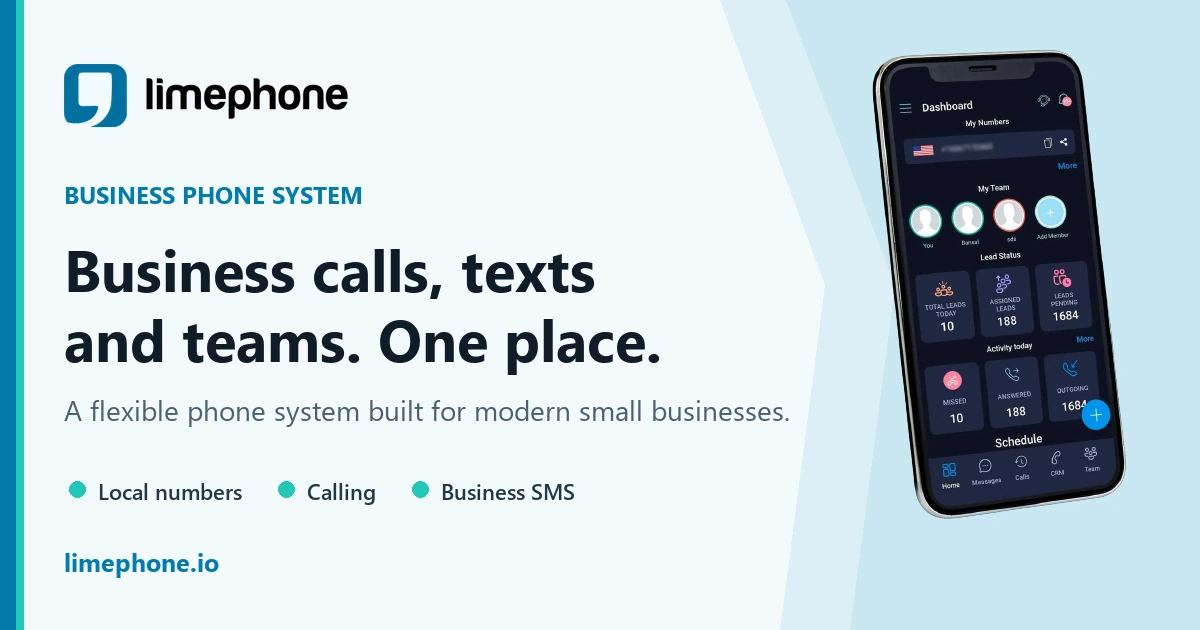
LimePhone is a business phone platform first: virtual numbers, calling, business SMS, call forwarding and routing, voicemail transcription and a shared team inbox, with plans published from $7.50/month for Personal, $15/month for Team including three users, and $40/month for Business including five, plus additional local numbers from $3/month.
The AI Receptionist is a paid add-on to an active phone plan rather than a standalone human answering service. Its published tiers are AI Starter at $59/month for 200 inbound AI minutes, Growth at $150 for 1,000, and Scale at $499 for 3,000. The page describes 24/7 answering, responses to approved questions about services, hours, locations and policies, structured lead capture, connection to scheduling tools, escalation of urgent or sensitive calls to a person, multiple languages and voices, and follow-up actions including AI texts and CRM updates.
One honest note on that ladder: the effective per-minute rate is $0.295 at Starter, $0.15 at Growth, and $0.166 at Scale. Growth is the best unit rate on the published list, so check your actual minute usage before moving up rather than assuming the larger tier is cheaper per minute. That pattern is not unique to LimePhone, and it is exactly the kind of thing the pricing section above tells you to check on every vendor including this one.
This is the right shape when you want numbers, routing, shared team context and AI answering under one login and one invoice, and when your inbound calls follow repeatable rules with a safe human fallback. It is the wrong choice when calls require open-ended human judgement, when you need trained humans on every call, or when there is no accountable person for escalation to reach. For distributed teams, the AI receptionist for a virtual office use case shows how a shared number, routine intake and human handoff fit together. Current plan and add-on terms are on the pricing page.
Frequently asked questions
What is virtual answering service software?
Software or a managed service that handles inbound calls when your team cannot. Depending on the product it plays menus, takes voicemail, uses human receptionists, runs an AI conversation, captures structured details, books or requests appointments, and routes callers to the right person. The category spans pure software and fully staffed services under the same name.
How much does virtual answering service software cost?
There is no single average, because providers meter different things. Verified September 2026 entry prices run from $79/month for AI metered by unique caller to $350/month for 200 human minutes, with per-call human plans starting at $300 for 30 calls. For the same 300-call month, published pricing produces bills from about $129 to $2,100 depending on the model.
Is an AI receptionist the same as an answering service?
An AI receptionist is one type of answering service. It handles defined conversations using configured knowledge, questions and actions, and escalates outside its boundary. Human services suit calls needing empathy, judgement or exceptions. Hybrid services route routine calls to automation and the rest to people. All three are answering services.
Can an answering service book appointments?
Some can, but "booking" means three different things. A confirmed calendar event written into your calendar is booking. An appointment request that staff must accept is not. A message asking someone to call back is definitely not. Verify availability checks, time zones, buffers, double-booking prevention, rescheduling, and behaviour when the calendar integration fails.
Do I need a HIPAA business associate agreement?
If callers discuss anything that identifies them in a health context, yes. A vendor handling protected health information on your behalf is a business associate, and a written agreement must be in place before it handles that data. Ask which plan tier includes a BAA, which subprocessors are covered, retention settings, and whether call content is used for model training.
Do I have to tell callers the call is recorded?
In roughly a dozen states all parties must consent, so if you take calls nationally the safe default is a disclosure before recording starts on every call. Confirm the disclosure plays before recording, not after the greeting, and remember that warm transfers add a party whose consent is also required. Confirm your specific obligations with counsel.
What is the difference between per-minute and per-call pricing?
Per-minute bills the time on the line and is predictable when call length is stable; ask about rounding, hold time and after-call work. Per-call bills each answered call regardless of length and is better when durations vary; ask what counts as answered. Run both calculations at your real volume, because neither model wins universally.
Should I keep voicemail as a fallback?
Usually yes. Define a fallback for outages, unstaffed transfer destinations, unsupported requests and calls that should not stay automated. Assign an owner and a callback target so voicemail does not silently become a dead end again. Teams already on Google's phone product can compare that setup in our guide to Google Voice as an answering service.
Bottom line
Choose virtual answering service software by proving it completes your most important caller outcomes safely and repeatedly, then by modelling its meter against your real traffic. Score every option on the same ten test calls. Run the plan-versus-overage math both ways for every vendor, because the cheaper-looking tier is frequently the more expensive one. Settle recording consent and, where relevant, a business associate agreement before the first live call. And prefer the simplest service that clears your risk, workflow and budget thresholds, keeping a human and a voicemail path for the calls it should never handle alone.
Primary sources reviewed
- Ruby plans and pricing
- Smith.ai receptionist pricing
- PATLive pricing
- AnswerConnect pricing
- Goodcall pricing
- Aircall pricing
- Aircall Help Center: AI Voice Agent charges
- LimePhone pricing
- LimePhone AI Receptionist
All pricing above was read from the vendors' own published pages on September 5, 2026, and is US list pricing before tax. Vendors change prices, limits, features and availability without notice. Verify the current offer and contract terms before purchase. The compliance sections are general orientation and are not legal advice.