

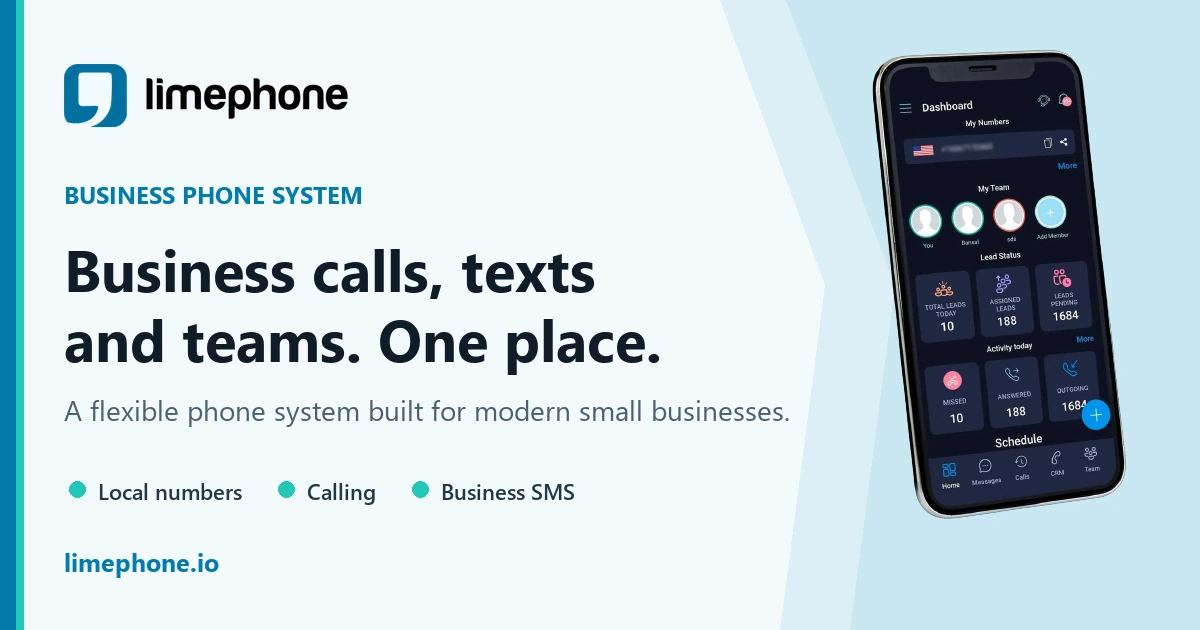
Skype is gone. Microsoft retired it on 5 May 2025 and pointed users to Microsoft Teams Free, which replaces Skype's chat and video calling but not its phone calling. If you used Skype to call real phone numbers or to receive calls on a Skype Number, a virtual phone service is the actual replacement.
That split matters more than any feature list, because Skype was three products wearing one icon: a video meeting tool, a chat app, and a cheap telephone company. Teams Free inherited two of them. The third — the part people paid for — has no Microsoft successor on the free tier, and as of 2026 the migration path Microsoft originally offered has closed. This guide covers what happened, what replaces each piece, and what to do if you still have a Skype Number or Skype Credit sitting in a dead account.
What happened to Skype, and when exactly?
Microsoft announced the retirement in early 2025 and executed it in stages. The dates below come from Microsoft's own live retirement notice and its Skype retirement FAQ, both of which are still published and still being updated.
| Date | What changed |
|---|---|
| 3 April 2025 | Automatic top-up ended. Existing calling and Skype Number subscriptions renewed for the last time. |
| 5 May 2025 | Consumer Skype retired. SMS, call forwarding, voicemail, Skype Credit gifting and Caller ID setup were switched off the same day. Skype for Business was not affected. |
| 1 December 2025 | Cut-off for the activity window that decides whether your old Skype history survives inside Teams Free. |
| 31 December 2025 | Swedish Skype Numbers terminated for regulatory reasons, with port-out and compensation offered before that date. |
| 15 February 2026 | Caller ID setups shut down and connected numbers deleted from accounts. |
| March 2026 | The 60 free Skype minutes bundled with Microsoft 365 Personal and Family were removed from those subscriptions. |
| 1 April 2026 | Deletion of Skype data began. Exports requested after this date may not contain your full history. |
| 1 May 2026 | End of Skype subscription service. Subscriptions extending past this date were cancelled and converted into Skype Credit. |
| May 2026 | All Skype Number subscriptions ended. Port-out requests stopped being accepted. |
| 15 June 2026 | Final deadline to request a copy of Skype history through the export portal. |
Two of those lines are the reason most articles about Skype alternatives are now wrong. The advice that circulated through 2025 was "port your Skype Number to a new carrier before your subscription lapses." That advice was correct at the time. It is no longer actionable.
What happened to my Skype Number?
Skype Numbers are finished. Microsoft's retirement page now carries a notice at the top stating that all Skype Number subscriptions ended in May 2026 and that Skype Number port-out requests are no longer available. Through the wind-down you could receive calls on your Skype Number for the remainder of your paid subscription period, first through the Skype web portal and then through the Skype Dial Pad inside Teams Free. That period is over.
Practically, that means the number itself is not recoverable through Microsoft. There is no queue to join, no support ticket that re-issues it, and no transfer window left. If that number was printed on invoices, business cards, a Google Business Profile, or a website contact page, the recovery job is not "get the number back" — it is "publish a new number and redirect everyone who has the old one."
What to do if you have lost a Skype Number
- Get a replacement number in the same country and, where possible, the same area code, so the format your contacts recognise stays familiar. You can check which numbers are actually available before you commit to anything.
- Update every public listing that carried the old number: your website, Google Business Profile, invoice templates, email signature, marketplace profiles, and any ad account.
- Send a short note to your contact list from the address they already know, giving the new number and the date the old one stopped working.
- Keep the old number visible in your own records for six months so you can recognise it when a customer says "I've been calling this and getting nothing."
If you are choosing a country or number type from scratch, availability and capabilities differ by market, so it is worth reading the country-by-country availability list rather than assuming a local number exists everywhere.
What happened to my Skype Credit?
Skype Credit had a longer tail than Skype Numbers. During the wind-down, remaining credit stayed usable for calling through the Skype Dial Pad, which Microsoft made available from the Skype web portal and from inside Teams Free for existing paid users. New purchases of Skype Credit, Skype Numbers and Skype subscriptions all stopped.
The important detail most write-ups miss is what happened to subscriptions that outlived the service. Microsoft's FAQ states that subscriptions extending beyond 1 May 2026 were cancelled and converted into Skype Credit, and that if you did not want the credit you are eligible for a refund by contacting Skype customer support. That is a specific, live instruction — not a general "contact support and hope." If you were paying for a monthly Skype calling subscription and it silently turned into a credit balance you cannot use, a refund request is the documented path.
Skype Manager admins were treated separately: they could purchase and renew until 3 April 2025, and after that could allocate the remaining balance to group members for calling. Microsoft directs Skype Manager admins with subscriptions extending past May 2026 to contact customer support directly.
What happened to my Skype chats and contacts?
Your contacts and chat history transferred automatically into Teams Free the first time you signed in with your Skype credentials — Microsoft says the sync takes under a minute. Several categories did not migrate: chats between Skype users and Teams work or school accounts, Skype to Skype for Business history, one-to-one chat with yourself, private conversations, and any Copilot or bot content.
Whether your history is still there depends on a narrow activity test. Microsoft's criterion is that you were an active Skype user between December 2024 and February 2025 and then moved to and used Teams Free before 1 December 2025. Meet that test and your Skype chat and call history remains accessible in Teams Free. Miss it, and the data was scheduled for deletion, with 15 June 2026 as the last date to request an export through Skype's export portal.
If you never ran that export, treat the history as gone and plan accordingly. If you did, the export can take up to 30 days to build for large accounts, and you have to return to the export page to collect the download link.
Which Skype feature am I actually replacing?
Start here before you look at a single product. Skype bundled four jobs, and no single 2026 product does all four well. Map your job to the row that matches.
| What you used Skype for | What replaces it | Cost shape |
|---|---|---|
| Video meetings and group calls | Microsoft Teams Free, Zoom, Google Meet | Free tier covers most personal use; paid tiers buy length, size and recording |
| Free chat and calls with other Skype users | Teams Free, WhatsApp, Slack, Discord | Free, if both sides use the same app |
| Calling out to real phone numbers | LimePhone, Google Voice, Zoom Phone, Teams Phone | Per-user monthly plan, plus per-minute rates for international destinations |
| Receiving calls on your own number (Skype Number) | A virtual business number from a VoIP provider | Per-user monthly plan; the number is included in the plan |
| Business SMS from that number | A virtual number provider with two-way texting | Usually bundled into the same per-user plan |
| Cheap international calls from mobile | Calling app with per-minute rates, or a virtual number with international calling enabled | Prepaid credit or per-minute billing on top of a plan |
The single most common mistake in 2026 is assuming Teams Free finishes the job. It does not. Microsoft states plainly that Teams does not support paid calling plans on the free version, and directs small businesses to Teams Essentials paired with Microsoft Teams Phone. If phone calling was why you paid Skype, you are choosing a phone system, not a meetings app.
Skype alternatives compared
Prices below are what each vendor publishes on its own live pricing page. Where a vendor shows prices only after you select a region or currency, the pricing shape is described instead of a figure, because quoting a number we could not read would be worse than useless.
| Tool | Best for | Calls real phone numbers? | Gives you a number? | Entry price |
|---|---|---|---|---|
| Microsoft Teams Free | Direct Skype successor for chat and meetings | No, on the free tier | No | Free |
| Zoom | Scheduled meetings with people outside your org | No, in the meetings product | No | Free tier plus paid per-host tiers |
| Google Meet | Anyone already living in Gmail and Calendar | No | No | Free with a Google account |
| Slack | Team chat with searchable channels | No | No | Free tier; paid tiers per user per month |
| Discord | Communities and always-on voice rooms | No | No | Free; Nitro Basic $2.99/mo, Nitro $9.99/mo |
| LimePhone | A business number that calls and texts | Yes | Yes | $7.50/mo for 1 user |
| Google Voice (Workspace) | US-centric teams already on Workspace | Yes | Yes | $10/user/mo Starter |
| Zoom Phone | Organisations standardised on Zoom | Yes | Yes | Metered and unlimited tiers, priced per user per month |
| Teams Essentials + Teams Phone | Microsoft-committed small businesses | Yes, with the Phone add-on | Yes, via a calling plan | Two paid products stacked |
What are the best Skype alternatives for video meetings?
Microsoft Teams Free
Who it's for: anyone who wants the least disruptive move, especially if their Skype contacts already migrated automatically.
What it does: chat, one-to-one and group video, screen sharing, and file sharing. Microsoft's own retirement guidance says Teams Free lets you join group calls of up to 30 hours with up to 300 people, which is more generous than Skype ever was for meetings.
Limitations: no paid calling. Teams Free cannot dial a landline or mobile, cannot receive a call on a phone number, and does not do SMS. The Skype Dial Pad that appeared inside Teams Free was a transitional bridge for existing paid Skype users, not a permanent product.
Verdict: the correct default for the chat and meetings half of Skype, and free. Not a phone.
Zoom
Who it's for: people who schedule meetings with clients, candidates or students outside their own organisation.
What it does: the most frictionless join experience for external guests, plus recording, breakout rooms and transcription on paid tiers. The free tier remains the most commonly used product for one-off external calls.
Limitations: Zoom's meeting product does not call phone numbers; that is a separate product, Zoom Phone. Zoom's pricing page renders per region and currency, so check your own before budgeting.
Verdict: the strongest choice if most of your calls are with people who do not share your company's software.
Google Meet
Who it's for: Gmail and Google Calendar users who want zero new software.
What it does: browser-based meetings launched straight from a calendar invite, with no download for guests.
Limitations: free personal accounts have a shorter cap on group meeting length than Workspace accounts, and Meet has no telephony of its own — that is Google Voice, sold separately.
Verdict: the lowest-effort replacement if your contact list is already Gmail addresses.
What are the best Skype alternatives for team messaging?
Slack
Who it's for: teams that want conversation organised by topic rather than by person.
What it does: channels, threads, huddles for quick audio, and a large integration directory.
Limitations: the free plan keeps 90 days of message history, restricts huddles to one-to-one, and allows up to ten apps. For a team replacing Skype's unlimited history, the 90-day window is the constraint that eventually forces an upgrade. Paid tiers are priced per user per month and vary by region and billing term.
Verdict: the right answer for work chat, the wrong answer for anything involving a phone number. Many teams run Slack alongside a phone system rather than instead of one — LimePhone, for instance, can route incoming calls into Slack.
Discord
Who it's for: communities, gaming groups, study groups, and small distributed teams that liked Skype's always-open group call.
What it does: persistent voice channels you drop in and out of, plus text channels and screen sharing. The free tier is genuinely usable, which is rare.
Limitations: no phone calling, no business identity, and a consumer feel that is a hard sell to clients. Nitro Basic is $2.99 per month and Nitro is $9.99 per month, both cosmetic and upload-focused rather than functional for business.
Verdict: the closest thing to Skype's casual "we're all just in a call" behaviour, at zero cost.
What is the best Skype alternative for calling real phone numbers?
This is the group Microsoft did not serve, and where the actual decision lives. Everything below can dial a landline or mobile and give you a number that rings.
LimePhone
Who it's for: individuals and small teams that need a real business number for calls and texts without running a phone system project.
What it does: local, toll-free, mobile-format and landline-format numbers with call forwarding, business hours, voicemail, call recording, two-way SMS, and a shared inbox so a team can answer one number without sharing one login. Numbers are managed from the web and mobile apps. Published plans are Personal at $7.50 per month for one user, Team at $15 per month including three users, and Business at $40 per month including five users, with a free trial.
Limitations: availability, SMS capability, documentation requirements and porting all vary by country and number type, so the number you want may not exist in the market you want it in. Outbound calling included in the Personal plan is scoped to the US and UK, with international destinations billed at published rates.
Verdict: the closest match to what a Skype Number plus Skype Credit actually did, with the team features Skype never had. Check the current plans and the outbound calling rates before you decide.
Google Voice
Who it's for: US-based individuals on the free personal tier, and Google Workspace teams on the paid tiers.
What it does: a number that rings your devices, voicemail transcription, and calling. The Workspace tiers are Starter at $10 per user per month for up to 10 users and 10 domestic locations, Standard at $16 per user per month with unlimited users, and Premier at $24 per user per month adding unlimited international locations. Google notes that promotional pricing applies to EMEA only and that other regions vary.
Limitations: the free tier is US-only and personal, paid tiers require Google Workspace, and country availability is restricted. We cover the practical trade-offs in more depth in our Google Voice alternative comparison and in Google Voice for business.
Verdict: excellent value if you are American and already pay Google. Awkward everywhere else.
Zoom Phone
Who it's for: organisations already standardised on Zoom that want calling in the same client.
What it does: a business number with SMS and MMS, sold in metered and unlimited-regional shapes, plus a Global Select option covering unlimited regional calling in one of 48 countries and territories. Prices are per user per month and shown per region.
Limitations: it is an add-on to a Zoom footprint, so it rarely makes sense as a standalone purchase. Number provisioning in some markets requires documentation.
Verdict: a good consolidation play, a poor standalone Skype replacement.
Microsoft Teams Essentials with Teams Phone
Who it's for: businesses that want to stay entirely inside Microsoft.
What it does: Microsoft's own answer for the calling gap. Its retirement FAQ explicitly states that Teams does not support paid calling plans on the free version and points small businesses to Teams Essentials paired with Microsoft Teams Phone.
Limitations: two products stacked, and calling plans priced by country. This is the most expensive way to get back what a Skype Number used to do.
Verdict: defensible if you already run Microsoft 365 across the business, over-engineered if you are one person who wants a number.
What replaces Skype for cheap international calling on mobile?
Skype Credit's real appeal was that it was pay-as-you-go: no contract, no monthly fee, and rates good enough to call a landline in another country without thinking about it. In 2026 that behaviour splits into two options.
The first is a dedicated international calling app that sells prepaid credit and bills per minute. These are the closest structural match to Skype Credit, and the right choice if you make a handful of calls a month and want no recurring bill. The trade-off is that most of them do not give you an inbound number, so people cannot call you back.
The second is a virtual number plan with international calling enabled. You pay a monthly fee, get a number that rings, and pay per minute for destinations outside your plan's included region. This costs more at low volume and less at high volume, and it is the only option that also solves the inbound side.
Some quick arithmetic makes the crossover obvious. If you make an hour of international calls a month, a prepaid app billing per minute usually beats a monthly plan on raw cost — but you have no number, so every call has to be outbound. If you also need people to reach you, the prepaid app cannot do the job at any price, and the comparison stops being about cents per minute.
Where LimePhone fits
LimePhone is a virtual business phone service, not a meetings tool, so it competes for exactly one of Skype's four jobs: being a phone number. It is worth considering if the thing you lost was a Skype Number, business SMS, or the ability to call out from a consistent business identity.
What it covers that Skype did not: a shared team inbox so several people can answer one number, call routing and business hours, an auto attendant on team plans, call recording, and integrations. What it does not do: replace Zoom or Teams for scheduled video meetings. If you need both, run a meetings app and a phone service side by side — which is what most businesses did even while Skype existed.
The practical starting points are the work phone overview if you want a second number separate from your personal one, virtual business numbers if you are choosing a number type and country, and AI call answering if the problem you are really solving is missed calls rather than the phone itself.
How do I migrate off Skype properly?
Work through this in order. Steps 1 to 3 are time-sensitive and may already be closed to you; the rest are always available.
- Check whether your history survived. Sign in to Teams Free with your old Skype credentials. If you were active in Skype between December 2024 and February 2025 and used Teams Free before 1 December 2025, your chat and call history should be there.
- Check the export portal. Microsoft accepted export requests through 15 June 2026. If you requested one and never collected it, check the Available Exports section at the top of the export page — links appear there when the file is ready, and large accounts can take up to 30 days to build.
- Reconcile your money. If a Skype subscription extended past 1 May 2026 it was cancelled and converted to Skype Credit. Microsoft's FAQ states that you are eligible for a refund instead, via Skype customer support.
- Decide which jobs you are replacing. Use the mapping table above. Most people need two products, not one.
- Get a new number before you announce anything. Confirm the number exists in the country and format you need, then buy it. Do not announce a number you have not provisioned.
- Update your public footprint. Website, Google Business Profile, email signature, invoices, ad accounts, marketplace listings, WhatsApp Business profile.
- Tell your contacts once, clearly. One message with the new number and the date the old one died beats a slow trickle of confused callers.
- Set up voicemail and business hours on day one. The failure mode of a fresh number is silent missed calls, which look identical to a dead number to the person calling.
Can I port my old Skype Number to a new provider?
No, not any more. Microsoft's retirement notice states that Skype Number port-out requests are no longer available and that all Skype Number subscriptions ended in May 2026. Porting was possible during the wind-down, and Microsoft told users to contact their new carrier to start it. That window has closed.
Porting is still very much a live option for numbers from any other carrier. If you have a business number sitting with a mobile operator or an old VoIP provider, you can usually move it rather than starting over — LimePhone's number porting process covers what documentation is required, and requirements differ by country and number type. The general rule with any port is that you keep the old service active until the port completes; cancelling first is the single most common way people lose a number permanently.
Free versus paid: an honest reality check
Most Skype alternative lists imply you can replace Skype for nothing. You can replace part of it for nothing. Here is where free actually stops.
What free genuinely covers
Video meetings, group calls, screen sharing, and app-to-app chat are all comfortably free in 2026. Teams Free, Google Meet, Discord and WhatsApp between them cover every social and small-team use of Skype at zero cost. If that was all you did in Skype, stop reading and install Teams Free.
What free does not cover
A phone number that strangers can dial. Every service that gives you an inbound number and connects to the public telephone network pays interconnection and regulatory costs, so no provider gives it away indefinitely. Google Voice's personal tier is the closest thing to an exception, and it is US-only.
The cost math worth doing
Frame it as cost per answered call rather than cost per month. A $7.50 plan that lets you answer 20 inbound customer calls a month works out at roughly 38 cents per answered call. Against a single missed enquiry, that is not a close decision. Against a hobby project with two inbound calls a year, it obviously is. The break-even is not about features — it is about whether anyone needs to reach you at a number you control.
The hidden cost nobody lists
Switching numbers again. Every number change costs you the callers who still have the old one, and that cost is invisible because nobody tells you they called and got nothing. Choosing a provider you will still be with in three years is worth more than saving two dollars a month, which is the lesson Skype's own users just learned the expensive way.
When not to switch to each of these
Every list tells you what to pick. Fewer tell you when a popular pick is wrong.
- Do not pick Teams Free if you need a phone number. It is the most common wrong answer because Microsoft recommended it, but Microsoft recommended it as a Skype chat and meetings replacement, not a Skype Number replacement.
- Do not pick Google Voice from outside the US without checking availability first. The free tier in particular is not a global product.
- Do not pick Discord for client-facing work. It is excellent and free, and it will read as unprofessional to a customer expecting a business line.
- Do not pick Slack Free as a Skype history replacement. The 90-day message window will quietly delete the thing you were trying to preserve.
- Do not pick Zoom Phone or Teams Phone as a standalone purchase. Both are add-ons that assume you already pay for the parent platform.
- Do not pick a prepaid calling app if people need to call you. Outbound-only is a hard constraint, not a tier limitation.
How do I choose in under a minute?
- Did you use Skype for meetings only? Install Teams Free. Done, at no cost.
- Did you use it mainly to chat with a team? Slack if it is work, Discord if it is a community. Both are free to start.
- Did you call phone numbers, or did people call your Skype Number? You need a virtual phone service. Choose Google Voice if you are US-based and on Workspace, and LimePhone if you want a number in a specific country, business SMS, or a shared inbox for a team.
- Did you do all three? Pick one meetings app and one phone service. No single 2026 product replaces all of Skype, and any article claiming otherwise is selling something.
Skype alternatives FAQs
Is Skype still available in 2026?
No. Microsoft retired consumer Skype on 5 May 2025. The paid tail ran longer: subscription service ended 1 May 2026, all Skype Number subscriptions ended in May 2026, and the final data export deadline was 15 June 2026. Skype for Business is a separate product and was not part of this retirement.
What is the official replacement for Skype?
Microsoft Teams Free. Signing in with Skype credentials transferred contacts and chats automatically, and Microsoft states Teams Free supports group calls of up to 30 hours with up to 300 people. It replaces Skype's chat and video, but not Skype's calling to phone numbers.
Can I still use my Skype Credit?
Skype Credit was usable through the Skype Dial Pad during the wind-down, from the Skype web portal and inside Teams Free. Subscriptions that extended past 1 May 2026 were cancelled and converted into Skype Credit, and Microsoft's FAQ says you can request a refund instead by contacting Skype customer support.
Can I get my Skype Number back or port it?
No. Microsoft's retirement notice states that all Skype Number subscriptions ended in May 2026 and that port-out requests are no longer available. The number cannot be recovered or transferred. The practical fix is a new virtual number plus a coordinated update of every place the old one was published.
Does Microsoft Teams let me call a landline or mobile?
Not on the free plan. Microsoft states that Teams does not support paid calling plans on the free version, and points small businesses to Teams Essentials paired with Microsoft Teams Phone. For most individuals a standalone virtual number service is cheaper and faster to set up.
What is the cheapest Skype alternative that gives me a real phone number?
Google Voice's personal tier is free but US-only. Among paid options with published prices, LimePhone starts at $7.50 per month for a single user and Google Voice for Workspace starts at $10 per user per month. Zoom Phone and Teams Phone price per region and generally assume you already pay for the parent platform.
How do I export my old Skype chat history?
Through Microsoft's Skype export portal, which accepted requests until 15 June 2026. Exports could take up to 30 days for large histories, and you had to return to the Available Exports section to collect the download. Data deletion began 1 April 2026, so exports requested after that date may be incomplete.
Do I need more than one app to replace Skype?
Usually yes. Skype bundled meetings, chat and telephony, and no current product bundles all three at consumer prices. Most people end up with a free meetings app such as Teams Free or Google Meet, plus a paid virtual number service if they need to make or receive calls on a real phone number.


