HD business calling
Professional calling from a business number on supported devices.


Join thousands of businesses that already trust their phone service to LimePhone.
Buy NowCancel anytime
Money back guarantee
Starts at $9/mo


How LimePhone works
Choose a number, configure how customers reach you, and manage calls and supported messages from web and mobile experiences.

Choose your business identity
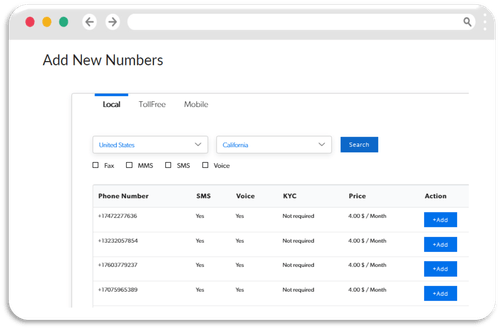
Select an available local, toll-free, mobile, or international number where supported, or begin transferring an eligible number your customers already know.
Configure the customer journey
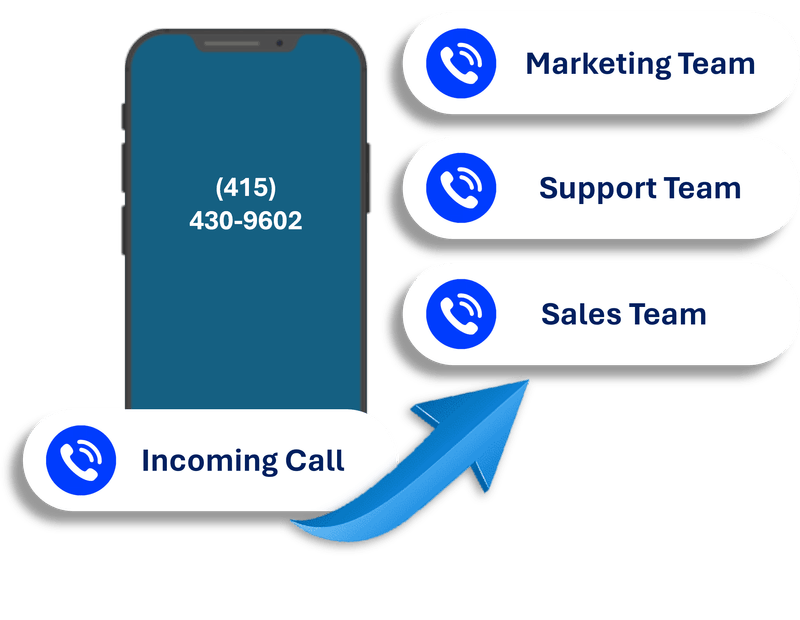
Set the greeting, working hours, team destinations, voicemail, and fallback paths around the way your organization actually handles customer communication.
Work from the devices you already use
Use supported browser and mobile experiences to keep business communication accessible while maintaining a separate professional number.

Interactive product tour
Move between routing, shared conversations, and scheduling to understand how LimePhone supports the journey from first contact to next action.
Set hours, greetings, team destinations, and fallback paths for a consistent caller experience.
A smarter phone platform
Start with the basics, then add supported routing, recording, messaging, integrations, and team workflows as responsibilities grow.
Professional calling from a business number on supported devices.
Keep missed-call context available for useful follow-up.
Build working-hour, team, forwarding, and fallback paths.
Give authorized teammates responsibility without sharing personal numbers.
Manage supported SMS and MMS workflows from the business account.
Connect supported tools through integrations, Zapier, API, or webhooks.
Setup questions
Availability can vary by country, number type, carrier, verification, and plan. The LimePhone team can confirm the details for your setup.
A straightforward setup can begin in minutes after account and number requirements are complete. Number verification, porting, or custom configurations can require additional time.
Eligible numbers can be transferred to LimePhone. Timing and documentation depend on the current provider, country, number type, and account status.
No separate physical phone is required for typical supported web and mobile use. You can keep work communication associated with the business account.
Yes. Supported plans let authorized teammates share responsibility for business calling and messaging workflows.
Yes. LimePhone can route calls around working hours, teams, voicemail, forwarding destinations, and other supported call-flow options.
Use the LimePhone knowledge base or contact support for guidance with number selection, transfer requirements, routing, messaging registration, and account setup.
Start a free trial, or ask the team to recommend the simplest setup for your calls and texts.