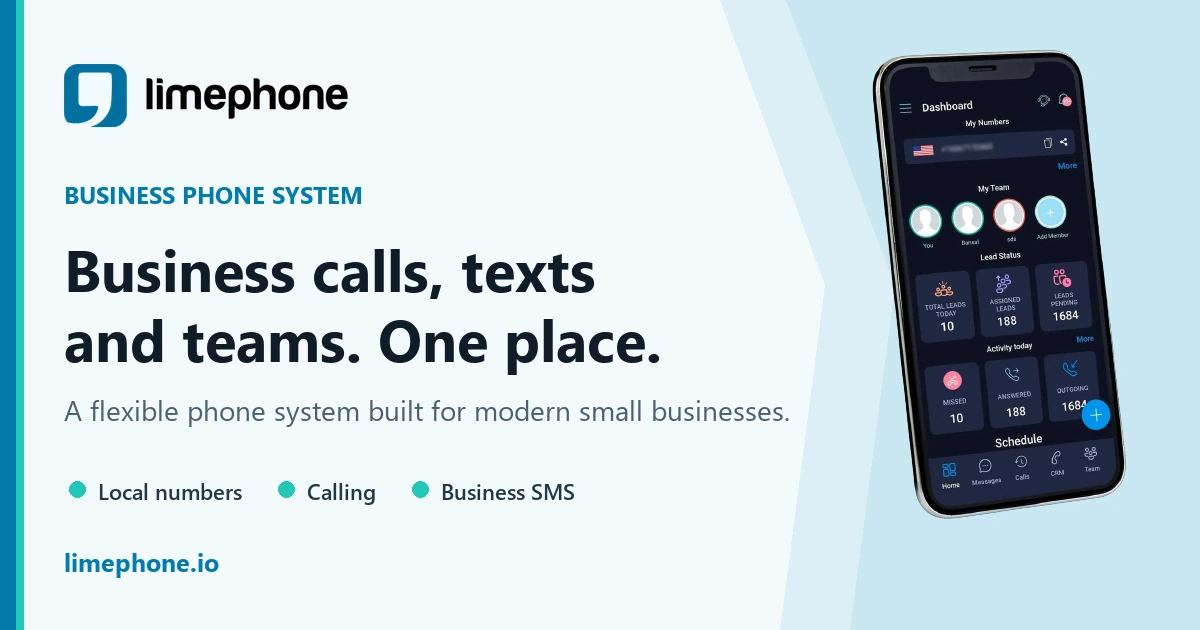
AI receptionist pricing can look simple until you compare what each plan actually includes. Some products charge by the minute, some by the call, and others bundle AI answering into a larger phone-system contract. This guide explains the real cost drivers, shows how to estimate return on investment, and gives you a practical buying checklist.
Quick answer: LimePhone AI Receptionist starts at $59 per month for 200 inbound AI minutes and is added to an active phone plan. Choose a tier from real inbound call data, then judge ROI using qualified outcomes and productive staff time—not the promise that every missed call becomes revenue.
AI receptionist cost at a glance
- LimePhone AI Receptionist is an optional add-on to an active phone plan, starting at $59 per month for 200 inbound AI minutes.
- The headline price is only one part of the budget. Check included minutes, overage terms, phone-plan costs, number fees, setup requirements, integrations, and human escalation.
- ROI should be based on contribution margin from calls the system helps capture or the staff time it releases—not on vague promises about “never missing a lead.”
- An AI receptionist is usually best treated as a coverage and workflow layer, not a like-for-like replacement for every task performed by a human receptionist.
How much does an AI receptionist cost in 2026?
AI receptionist services commonly use one of four pricing structures:
- Monthly allowance: a fixed monthly fee includes a set number of AI-handled minutes.
- Usage-based: you pay for each minute or call handled.
- Tiered subscription: higher plans add capacity, call flows, integrations, support, or multiple locations.
- Custom contract: pricing is negotiated for high-volume or complex deployments.
The right model depends on how predictable your inbound call volume is. A monthly allowance makes budgeting easier when call traffic is steady. Usage-based pricing can suit seasonal or low-volume businesses, but the bill may fluctuate. Custom pricing may be appropriate when you need many locations, specialised routing, or substantial integration work.
LimePhone AI Receptionist pricing
As of August 2026, LimePhone lists three AI Receptionist add-on tiers. An active LimePhone phone plan is required, and the included allowance applies to inbound calls handled by the AI Receptionist.
- AI Starter — $59/month: 200 inbound AI minutes. Best for lighter call volume, overflow, or a first production workflow.
- AI Growth — $150/month: 1,000 inbound AI minutes. Best for businesses with consistent recurring inbound demand.
- AI Scale — $499/month: 3,000 inbound AI minutes. Best for busy customer-facing teams and multi-location workflows.
At full utilisation, the add-on price works out to about $0.30, $0.15, and $0.17 per included minute respectively. That is a capacity comparison, not a prediction of your bill: unused allowance raises the effective cost per minute, while taxes, registration or carrier fees, regular phone usage, and usage beyond an included allowance may be separate where applicable.
Check the live LimePhone pricing page before purchasing because prices, allowances, availability, and terms may change.
Want to run the workflow on your own calls? Start with a business number, then add inbound AI answering when you are ready. Get started
What determines the total cost?
Two AI receptionist plans with the same monthly fee can produce very different total costs. Use the following factors to compare them on equal terms.
1. Inbound call volume and duration
Start with minutes, not just the number of calls. One hundred two-minute enquiries use far less capacity than one hundred eight-minute bookings. Export at least 60 to 90 days of call data, separate inbound from outbound traffic, and calculate both the median and busiest month.
A useful baseline is:
Estimated monthly AI minutes = eligible inbound calls × average handled duration × percentage routed to AI
Do not automatically route every call to AI. Existing customers with complex issues, emergency calls, or high-value opportunities may need faster human escalation.
2. Your base phone plan
AI answering normally sits on top of a business phone system. Confirm what the base plan includes: numbers, users, inbound calls, call forwarding, shared inboxes, business hours, call recording, SMS, and mobile or web apps. LimePhone's AI Receptionist is an add-on, so include the relevant phone-plan price in your calculation.
If you are still selecting the underlying service, compare virtual business numbers and the work phone experience before evaluating the AI layer.
3. Overage and unused allowance
Ask what happens when you exceed your allowance. Is the AI disabled, billed at an overage rate, or upgraded automatically? Also check whether unused minutes roll over. A larger bundle is not automatically better if most of it expires unused.
4. Setup and conversation design
A useful AI receptionist needs accurate business information, clear routing rules, escalation paths, and tested responses. Even when software setup is included, your team must provide and maintain that information. Count internal time spent documenting FAQs, reviewing call outcomes, and updating instructions when prices, hours, or policies change.
5. Integrations and downstream work
The AI's answer is only the first step. Value increases when captured details reach the right destination: a shared inbox, CRM, calendar, help desk, or on-call teammate. Check whether the required connection is native, available through an automation platform, or needs custom API work. Integration fees and implementation time belong in the budget.
6. Human handoff
Good automation has an exit. Define which calls transfer immediately, what happens when nobody accepts the transfer, and what context accompanies the caller. LimePhone's call routing and missed-call text-back pages show complementary workflows for moving callers to a person or continuing the conversation when a live answer is unavailable.
7. Compliance, security, and retention
Ask how calls, transcripts, recordings, and personal information are stored, protected, and deleted. Decide whether the AI may collect payment information, health information, or privileged legal details; in many organisations, the safer answer is to route those conversations to an authorised person.
Review the provider's security information, then document your own access, retention, consent, and escalation policies.
AI receptionist vs human receptionist: a fair cost comparison
A human receptionist and an AI receptionist are not interchangeable resources. A person can exercise judgement, manage exceptions, coordinate the office, and build relationships. AI is strongest at repeatable inbound tasks such as answering common questions, collecting structured details, identifying intent, and routing calls.
For context, the U.S. Bureau of Labor Statistics reported a median receptionist wage of $17.90 per hour in May 2024. At 40 hours per week, that is approximately $37,232 per year before employer taxes, benefits, recruitment, equipment, and management time. This is a labour-market benchmark—not a claim that an AI add-on provides equivalent work or coverage.
AI receptionist
- Best at: consistent, repeatable call handling, structured intake, and overflow coverage.
- Capacity: governed by the plan allowance and the workflow you configure.
- Availability: can cover after-hours and 24/7 inbound answering.
- Boundary: should escalate conversations outside its approved scope.
- Cost model: subscription or usage, plus the phone plan and implementation effort.
Human receptionist
- Best at: judgement, empathy, exceptions, relationships, and wider administrative work.
- Capacity: governed by staffing, schedules, leave, and concurrent demand.
- Availability: depends on working hours, shifts, and backup coverage.
- Strength: can interpret nuance and resolve unusual situations.
- Cost model: wages or salary, employment costs, tools, workspace, and management.
For many small businesses, the most practical model is hybrid: staff handle valuable or complex conversations, while AI covers repetitive questions, overflow, and after-hours calls.
How to calculate AI receptionist ROI
Use contribution margin and time saved rather than top-line revenue. A service is valuable only when it helps produce outcomes your business can deliver profitably.
Step 1: Establish your baseline
Measure at least one full business cycle. Record:
- inbound calls by hour and day;
- answered, abandoned, and voicemail calls;
- qualified enquiries and booked appointments;
- average handling time;
- staff time spent answering routine questions;
- gross profit or contribution margin per converted enquiry.
Step 2: Estimate eligible calls
Not every missed call would have converted, and not every conversation belongs with AI. Remove spam, wrong numbers, existing-customer issues that require a specialist, and calls outside the workflow you intend to automate.
Step 3: Model recovered contribution margin
Use this formula:
Recovered contribution margin = eligible calls handled × qualified rate × conversion rate × contribution margin per sale
Illustrative example: suppose an AI receptionist handles 60 otherwise-unanswered calls in one month. If 35% are qualified, 25% of qualified callers convert, and each conversion contributes $160 after variable costs, the model produces:
60 × 0.35 × 0.25 × $160 = $840
Subtracting a $59 AI Starter add-on gives $781 before the base phone plan, fees, implementation time, and any other operating costs. This is a worked example, not a performance guarantee. Replace every input with your observed data.
Step 4: Add time released
Estimate the time staff no longer spend on qualifying, taking messages, or repeating basic information. Value that time only if it is redirected to productive work. Ten saved hours have little financial value if the process does not specify what employees will do instead.
Monthly time value = hours released × loaded hourly cost × productive-use percentage
Step 5: Calculate net return
Net monthly benefit = recovered contribution margin + time value − total monthly AI cost
ROI percentage = net monthly benefit ÷ total monthly AI cost × 100
Run conservative, expected, and optimistic scenarios. If the conservative case is negative, begin with a narrow pilot rather than a broad rollout.
Which LimePhone AI tier fits your call volume?
Estimate your eligible monthly AI minutes, then keep a buffer for unusually busy periods.
- AI Starter: consider this when eligible volume is below 200 minutes and you want to validate a focused workflow.
- AI Growth: consider this when recurring eligible volume approaches several hundred minutes and a 1,000-minute allowance gives sensible headroom.
- AI Scale: consider this for thousands of minutes, busy service teams, or multi-location call flows that require guided setup.
If your estimate sits near a boundary, compare the total cost under both tiers, including any applicable usage beyond the allowance. Do not choose only from the average month; model your busiest realistic month too.
Where AI receptionist ROI is easiest to measure
Home services
Plumbers, electricians, HVAC teams, and other field-service businesses often need to capture the job type, location, urgency, and preferred appointment window while technicians are working. A bounded intake workflow makes outcomes easy to measure: qualified jobs captured, appointments booked, and urgent calls escalated. Explore the home-services phone workflow.
Law firms
An AI receptionist can collect basic intake information and route by practice area, but it should not give legal advice or imply that an attorney-client relationship exists. Firms should define conflict-sensitive information, urgent escalation rules, and when a human must take over. See LimePhone for law firms.
Property management
Property managers can separate maintenance, leasing, vendor, and emergency calls before routing them to the appropriate person. ROI can be tracked through qualified viewing requests, correctly routed maintenance issues, and reduced time spent re-triaging messages. See the property-management phone system.
Appointment-led businesses
Clinics, salons, consultancies, and service businesses can measure bookings, reschedules, cancellations, and human transfers. Sensitive or regulated information requires extra care, so scope collection to the minimum information needed and confirm applicable privacy rules.
A 30-day implementation plan
Week 1: Define one outcome
Choose a single, measurable job: qualify new enquiries, capture after-hours messages, route callers, or answer a short set of common questions. Assign an owner and define success metrics before configuration.
Week 2: Build the approved knowledge and routing map
Write concise answers using source material your business already controls. Mark information that changes frequently. Create a routing map for ordinary enquiries, high-value leads, emergencies, complaints, and unknown intent. Specify the fallback if a transfer is not answered.
Week 3: Test edge cases
Have employees call from different environments and accents. Test interruptions, silence, background noise, ambiguous requests, out-of-scope questions, and incorrect information. Confirm that the AI does not invent policies, prices, availability, or professional advice.
Week 4: Launch narrowly and review
Start with after-hours, overflow, or one call type. Review a sample of outcomes daily. Track transfers, completed captures, abandonment, incorrect routing, and caller complaints. Expand only after the workflow meets the agreed quality threshold.
Questions to ask before buying
- Exactly what starts and stops a billable AI minute?
- What happens when the included allowance is exhausted?
- Are telephone numbers, users, inbound calls, SMS, taxes, and carrier fees separate?
- Can I route calls by business hours, intent, location, or urgency?
- Can the AI transfer a caller with context?
- What is the fallback when a transfer fails?
- Which languages and accents are supported for my callers?
- How are recordings, transcripts, and personal data retained and deleted?
- Can administrators restrict access and review activity?
- How do I update approved answers?
- Can I export the data needed to measure qualified calls and outcomes?
- What support is available during setup and after launch?
Compliance note: inbound answering is not outbound robocalling
The U.S. Federal Communications Commission confirmed in 2024 that Telephone Consumer Protection Act restrictions on “artificial or prerecorded voice” calls encompass AI-generated voices. Its ruling focuses on outbound calls to consumers and the consent rules that apply to those calls. An inbound AI receptionist answering a call initiated by the customer is a different workflow, but that does not remove privacy, recording-consent, advertising, sector-specific, or local-law obligations.
Tell callers when appropriate that they are interacting with automation, minimise the personal data collected, and obtain qualified legal advice for your locations and use case. Do not repurpose an inbound receptionist workflow for unsolicited outbound AI calls without a separate legal and compliance review.
The bottom line
An AI receptionist can be cost-effective when it handles a clearly defined pool of inbound calls and feeds a measurable business workflow. The useful comparison is not “AI versus salary.” It is the total cost of reliable coverage versus the contribution margin and productive time the workflow creates.
Begin with real call data, select the smallest sensible allowance, define escalation before launch, and review outcomes every week. That approach produces a defensible budget—and a better caller experience—than buying solely on the lowest advertised price.
Build your inbound answering workflow with LimePhone. Choose a business phone plan and add AI Receptionist when the call flow is ready. Choose a plan
Frequently asked questions
How much does an AI receptionist cost per month?
Pricing depends on included minutes, call volume, features, and the underlying phone plan. LimePhone's AI Receptionist add-on starts at $59 per month for 200 inbound AI minutes, with larger allowances available. Check current pricing and any separate phone-plan, usage, tax, registration, or carrier fees.
Is an AI receptionist cheaper than a human receptionist?
The subscription price is usually lower than the wage cost of a full-time employee, but it is not an equivalent replacement. Human receptionists handle judgement, exceptions, relationships, and administrative work that AI may not. Compare the specific coverage and tasks you need.
What counts as an inbound AI minute?
For LimePhone, it is time spent on an inbound call while AI Receptionist is actively handling the conversation. Regular phone-plan calling and messaging are accounted for separately.
How many AI receptionist minutes do I need?
Multiply eligible inbound calls by average handled duration and the percentage you plan to route to AI. Use 60 to 90 days of data, model your busiest month, and include reasonable headroom.
How do I measure AI receptionist ROI?
Add the contribution margin from qualified calls the system helps capture to the value of productive staff time released. Subtract the total cost of the AI add-on, base phone plan, usage, fees, and implementation. Use your own observed conversion and margin data.
Can an AI receptionist answer calls after hours?
Yes, an AI receptionist can be configured to handle inbound calls outside normal business hours. Define what it may answer or collect, which urgent calls transfer, and what happens if no human is available.
Does an AI receptionist replace a phone system?
Usually not. It operates as an answering and workflow layer on top of a business phone service. LimePhone requires an active phone plan for its AI Receptionist add-on.
Sources
- LimePhone pricing, accessed August 2026.
- U.S. Bureau of Labor Statistics: Receptionists, wage data for May 2024, page last modified August 28, 2025.
- Federal Communications Commission Declaratory Ruling FCC 24-17, released February 8, 2024.