

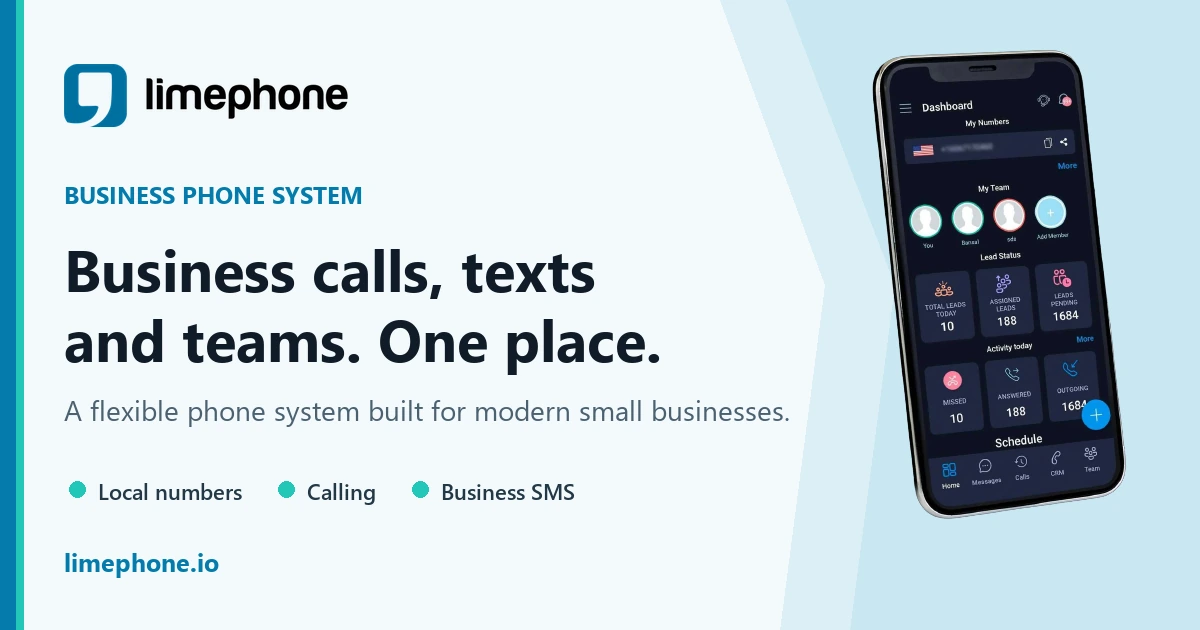
Updated November 2026
The best Quo (OpenPhone) alternatives in 2026 are LimePhone for flat-priced small teams ($19/month covers 3 users), Dialpad and RingCentral for larger companies, Grasshopper for solo owners, JustCall and Aircall for sales and support teams, and Google Voice if you already pay for Google Workspace. Quo itself starts around $15-19 per user per month, so per-seat costs add up quickly as you grow.
How do Quo alternatives compare on price?
Prices below are entry-level list prices we found in November 2026. Vendors change plans often, so treat competitor figures as a starting point and check current pricing on each site.
| Tool | Starting price | Pricing model | Apps |
|---|---|---|---|
| LimePhone | $19/mo for 3 users (Starter); $9/mo for 1 user (Lite) | Flat team price | Web, Android |
| Quo (OpenPhone) | From about $15/user/mo annual, $19 monthly (check current pricing) | Per user | iOS, Android, desktop, web |
| Grasshopper | From about $14/mo annual (check current pricing) | Per account | iOS, Android, desktop |
| Google Voice | From about $10/user/mo plus Google Workspace (check current pricing) | Per user | iOS, Android, web |
| Dialpad | From about $15/user/mo annual (check current pricing) | Per user | iOS, Android, desktop, web |
| RingCentral | From about $20/user/mo annual (check current pricing) | Per user | iOS, Android, desktop, web |
| JustCall | From about $19-29/user/mo, seat minimums apply (check current pricing) | Per user | iOS, Android, desktop, web |
| Aircall | From about $30/user/mo (check current pricing) | Per user | iOS, Android, desktop |
| MightyCall | From about $20/user/mo annual, 3-user minimum (check current pricing) | Per user | iOS, Android, web |
TL;DR
- Small team, tight budget: LimePhone Starter, $19/month for 3 users with a shared inbox and AI call summaries.
- Want to stay put: Quo is still a polished product, especially if you need its iOS app.
- Solo owner who forwards calls to a cell: Grasshopper.
- Already on Google Workspace: Google Voice.
- Growing company that needs a full phone system: Dialpad or RingCentral.
- Sales or support call center: JustCall or Aircall.
- Front-desk style call handling: MightyCall.
Why are people looking for OpenPhone alternatives?
OpenPhone built a loyal following with a clean app and shared inboxes. Since the rebrand to Quo, the common reasons people shop around are the same ones that apply to most per-seat tools: the bill grows with every hire, AI features are metered or sold separately, and international number coverage is limited compared with providers that sell numbers in many countries.
None of that makes Quo a bad choice. It means the right alternative depends on team size, where your customers are, and which apps your team uses. If you want a direct feature-by-feature breakdown, see our LimePhone vs OpenPhone (Quo) comparison.
What are the best Quo (OpenPhone) alternatives in 2026?
1. LimePhone
Best for: Small teams of 1-5 who want a flat price, international numbers and an AI receptionist option.
Pricing: Lite $9/month (1 user), Starter $19/month (3 users included), Growth $49/month (5 users included). Annual billing drops these to $7.50, $15 and $37.50 per month. New customers on monthly Lite or Starter pay $1 for the first month with US and Canada numbers. See LimePhone pricing.
Pros
- Three users on Starter cost $19 total, which is roughly what Quo charges for one monthly seat.
- Unlimited calls and texts to the US, UK and Canada (fair usage applies) and unlimited inbound.
- Numbers in 21 countries, including the UK, Australia, Germany, France, Japan and Mexico, priced on the phone number checker.
- Shared SMS and call inbox, IVR, bulk SMS and AI call summaries on Starter.
- An AI receptionist add-on that answers 24/7, takes messages and forwards urgent calls.
Cons
- No iOS app yet; iPhone users rely on the web app or call forwarding.
- A newer brand with a smaller ecosystem of integrations than Quo or RingCentral.
- US business texting needs A2P 10DLC registration ($25 one-off), as with any US provider.
- Some international numbers need ID or address documents.
Choose this if: you are a team of up to five, want a predictable bill, and care more about price and international numbers than about a native iPhone app.
2. Quo (formerly OpenPhone)
Best for: Teams that already like the product and want strong mobile apps.
Pricing: From about $15/user/month billed annually or $19 monthly on Starter, with Business and Scale tiers above that. Extra numbers and the Sona AI agent cost extra (check current pricing).
Pros
- Polished iOS, Android and desktop apps.
- Shared numbers and inboxes that work well for small teams.
- Large integration list and an established user base.
Cons
- Per-user pricing gets expensive as you add people.
- AI agent usage is billed separately.
- International number options are narrower than some rivals.
Choose this if: your team lives on iPhones and the per-seat cost is not a concern. Sometimes the best alternative is staying put.
3. Grasshopper
Best for: Solo owners and very small businesses that forward calls to their own cell.
Pricing: From about $14/month on annual billing for the entry plan, priced per account rather than per user (check current pricing).
Pros
- Simple to set up, long track record.
- Account-based pricing suits tiny teams.
- Virtual extensions and call forwarding.
Cons
- Fewer modern team features such as a shared SMS inbox.
- Limited AI and automation compared with newer tools.
- Texting and international options are basic.
Choose this if: you want a business line that rings your existing phone and you do not need much more. Our Grasshopper comparison covers the trade-offs.
4. Google Voice
Best for: Businesses already paying for Google Workspace.
Pricing: From about $10/user/month on top of a Google Workspace subscription (check current pricing).
Pros
- Tight integration with Gmail, Calendar and Meet.
- Familiar Google interface.
- Low incremental cost for Workspace customers.
Cons
- No true shared team inbox like Quo's.
- Business version requires Workspace.
- Limited number availability outside a handful of countries.
Choose this if: you are a Workspace shop and just need reliable calling and texting per person. See our Google Voice alternative guide.
5. Dialpad
Best for: Growing companies that want a full cloud phone system with built-in AI.
Pricing: From about $15/user/month billed annually, higher when paid monthly; contact center and sales tiers cost more (check current pricing).
Pros
- Strong AI transcription and call insights.
- Scales from small teams to large ones.
- Good desktop and mobile apps.
Cons
- More setup than Quo for small teams.
- Advanced features sit on higher tiers.
- Per-seat pricing.
Choose this if: you expect to grow past 10-20 people and want one platform for calls, meetings and AI notes.
6. RingCentral
Best for: Established businesses needing a mature, feature-heavy phone system.
Pricing: From about $20/user/month billed annually on Core, with Advanced and Ultra above; monthly billing costs more (check current pricing).
Pros
- Very deep feature set and admin controls.
- Huge integration catalog.
- Global presence.
Cons
- Overkill and complex for a three-person team.
- Contracts and add-ons can complicate the bill.
- Higher entry price.
Choose this if: you need enterprise-grade controls, desk phones and multi-site setups.
7. JustCall
Best for: Sales teams that make lots of outbound calls and texts.
Pricing: Published figures range from about $19 to $29/user/month at entry level, with seat minimums on some plans (check current pricing).
Pros
- Power dialer and sales-focused features.
- Many CRM integrations.
- SMS campaigns.
Cons
- Seat minimums raise the effective starting price.
- AI and dialer features add cost.
- More than a small service business needs.
Choose this if: your team is measured on call volume and CRM activity.
8. Aircall
Best for: Support and sales teams already running a help desk or CRM.
Pricing: From about $30/user/month on Essentials, with AI and analytics add-ons extra (check current pricing).
Pros
- Clean call-center style interface.
- Strong help desk and CRM integrations.
- Good call routing and queues.
Cons
- Among the most expensive entry tiers here.
- Key AI features are add-ons.
- Better suited to 5+ agents than a tiny team.
Choose this if: you run a support desk and want phones tied into Zendesk, HubSpot or Salesforce.
9. MightyCall
Best for: Small offices that want front-desk style call handling.
Pricing: From about $20/user/month billed annually, with a 3-user minimum, so roughly $60/month to start (check current pricing).
Pros
- Good call queueing and greeting options.
- Business hours and routing controls.
- Reasonable feature set for small offices.
Cons
- The 3-user minimum makes it pricier than LimePhone's $19 for three users.
- Interface is less modern than Quo.
- Fewer texting features.
Choose this if: you need a receptionist-style phone tree for a small office and the seat minimum fits your size.
How do you choose the right OpenPhone alternative?
- Do the per-seat math. Multiply each per-user price by your headcount for the next 12 months, then compare that with flat-priced plans.
- Check the apps your team actually uses. If everyone is on iPhone and refuses to use a browser, a tool with a native iOS app matters more than price.
- List the countries you need. If you sell into the UK, Australia or Europe, confirm local numbers are available. LimePhone's UK virtual landline is one example.
- Decide how calls get answered when you are busy. IVR, call routing and an AI receptionist all solve missed calls differently. Our guide to AI receptionist cost and ROI helps you size that.
- Plan the number port. Keep your Quo account active until your number moves. LimePhone's switch your number page explains the steps.
How much does a 3-person team pay on each tool?
Team size changes the ranking more than any feature. Here is a rough monthly cost for three users at entry-level monthly prices.
| Tool | Approx. monthly cost, 3 users |
|---|---|
| LimePhone Starter | $19 (3 users included) |
| Quo Starter | About $57 (check current pricing) |
| MightyCall Core | About $60+ (3-user minimum; check current pricing) |
| RingCentral Core | About $60+ (check current pricing) |
| Aircall Essentials | About $90+ (check current pricing) |
At five users the gap narrows: LimePhone Growth is $49/month for five users and adds the AI Voice Agent with 100 minutes per month, API and webhooks, and SSO. Larger teams with heavy call-center needs will often find Dialpad, RingCentral or Aircall a better long-term fit.
Is LimePhone the right Quo alternative for you?
LimePhone suits small service businesses, agencies and remote teams that want one shared number, a team inbox and fair, flat pricing. It is not the right pick if your staff need a native iPhone app today or if you want a vendor with a decade of integrations behind it. Be honest with yourself about which of those matters more.
Ready to compare for yourself? See LimePhone plans, or start Starter for $1 for your first month (new customers, US and Canada numbers, then $19/month, taxes extra, cancel anytime).
Frequently asked questions
Is OpenPhone the same as Quo?
Yes. OpenPhone rebranded as Quo, and existing accounts, numbers and plans carried over. When people search for OpenPhone alternatives today, they are comparing against Quo's current plans.
What is the cheapest Quo alternative for a small team?
For a team of three, LimePhone Starter costs $19/month total because three users are included, while per-user tools multiply by headcount. Grasshopper is also priced per account rather than per user, so it can be cheap for very small teams. Check each vendor's current pricing before you buy.
Can I keep my number if I leave Quo?
In most cases, yes. US and Canadian numbers can usually be ported to a new provider; you request the port from the new provider and keep your old account active until it completes. LimePhone handles this through its number porting page.
Which Quo alternative has an AI receptionist?
Several do. LimePhone sells an AI receptionist as an add-on from $59/month, and its Growth plan includes an AI Voice Agent with 100 minutes per month. Dialpad, RingCentral and JustCall also offer AI features, usually on higher tiers or as paid add-ons.
Is Google Voice a good OpenPhone replacement?
For one person on a budget it can work, but it is a thinner product. Google Voice for business requires a Google Workspace subscription and lacks a shared team inbox like Quo's. Teams that relied on shared inboxes usually find it a step down.
Does LimePhone have an iPhone app?
Not currently. LimePhone offers web/browser and Android apps, and calls can be forwarded to any phone, including an iPhone. If your team needs a native iOS app, Quo, Dialpad or RingCentral are better fits today.


