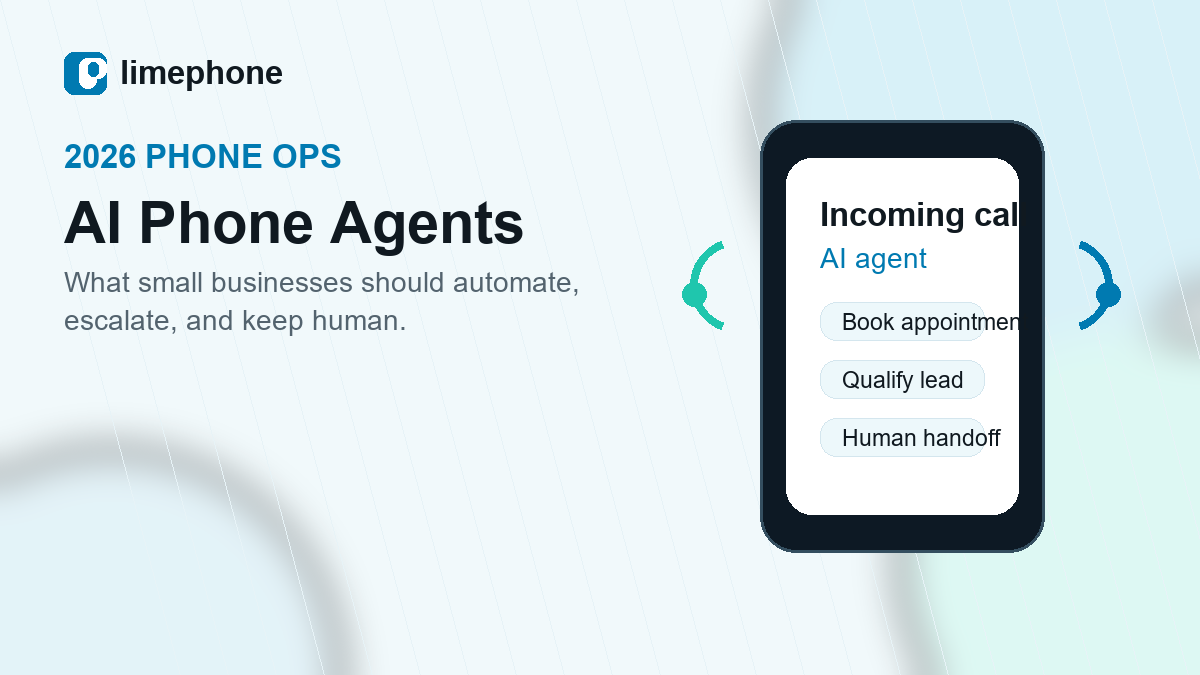
AI receptionist for small business

AI receptionist that answers every business call

Give callers a helpful answer at any hour. LimePhone AI can respond using business information, capture leads, schedule appointments, and transfer the conversation to a person when human judgment matters.

Fully managed AI voice agents, connected to the LimePhone business phone platform.

LimePhone AI phone agent answering an incoming business call
AI call in progress
IntentBook an appointment
Next stepConfirm or transfer
Available 24/7Cover busy periods and after-hours calls.
Business-aware answersUse approved information about services and policies.
Human handoffTransfer callers when the conversation needs a person.

One front desk, more useful outcomes

Handle routine calls without making callers feel stuck

The AI receptionist follows the business rules, collects the right information, and moves each call toward a useful next step.

01

Answer common questions

Respond to approved questions about services, hours, locations, policies, and other business information.

02

Capture and qualify leads

Ask the questions the sales team needs, record caller details, and separate strong opportunities from general enquiries.

03

Schedule appointments

Connect the call flow to scheduling tools so callers can move from enquiry to a confirmed next step.

04

Transfer to a teammate

Escalate urgent, sensitive, or complex conversations to the appropriate person instead of forcing automation.

05

Work across languages

Choose from multiple languages and voices to give more callers a consistent, professional welcome.

06

Connect follow-up tools

Send AI texts, update CRM records, and pass captured information into connected workflows.

How it works

Teach it the business. Define the boundaries. Stay in control.

LimePhone AI is a fully managed add-on, so the setup starts with the calls, information, and handoff rules that matter to the business.

Plan an AI receptionist demo →
1

Choose the call outcomes

Decide which enquiries should be answered, captured, scheduled, or transferred.

2

Provide approved information

Supply the business facts and instructions the AI receptionist should use during calls.

3

Connect tools and people

Link calendars, CRM workflows, texts, and the teammates who receive handoffs.

4

Test before going live

Review realistic call scenarios, adjust responses, and confirm escalation paths.

Built around real call intent

Three high-value jobs for a small-business AI receptionist

Customer support

Resolve the repeatable. Escalate the exceptional.

Answer routine service questions, collect the issue, and transfer urgent or complex calls to the right team.

Useful for after-hours coverage and call peaks

Appointment setting

Turn caller interest into a scheduled next step

Collect contact details, understand the request, and connect the caller with available appointment options.

Useful for services, consultations, and demos

Lead qualification

Give sales a clearer reason to call back

Ask consistent qualification questions and pass structured details into the follow-up workflow.

Useful for inbound sales and local service teams

Automation with an exit

The best AI receptionist knows when to bring in a human

Define handoff rules for urgent requests, sensitive topics, high-value leads, or anything outside the approved scope. Callers get a direct path forward, and the team keeps control of the conversations that need judgment.

Explore call routing
Caller explains the needThe AI receptionist identifies intent and gathers context.
Rules choose the next stepAnswer, capture, schedule, text, or transfer.
A teammate takes overHuman help remains available when it adds value.

Choose the right call experience

AI receptionist vs. auto attendant

Both improve call handling, but they solve different customer needs.

Conversational

AI receptionist

Understands spoken requests, answers approved questions, captures information, supports workflows, and transfers based on the conversation.

Book an AI demo

Menu-based

Auto attendant

Plays greetings and lets callers choose a department or destination using keypad menu options.

Explore auto attendant

Common questions

AI receptionist FAQ

Practical answers for teams evaluating AI call answering.

What is an AI receptionist?

An AI receptionist is a voice agent that answers business calls, understands spoken requests, responds using approved business information, and moves the caller to a useful next step.

What can LimePhone's AI receptionist do?

It can answer common questions, capture and qualify leads, support appointment scheduling, send texts, update connected tools, and transfer callers to a human.

Can the AI receptionist transfer calls to people?

Yes. The call flow can include human handoff rules for urgent, complex, sensitive, or high-value conversations.

How does the AI receptionist learn about the business?

The setup uses approved business information, instructions, and call-handling rules so responses stay aligned with the intended scope.

Can it answer calls after business hours?

Yes. The AI receptionist can provide 24/7 call coverage, including busy periods, evenings, weekends, and other times when the team is unavailable.

A smarter first answer

See how an AI receptionist would handle the business's real calls

Bring the key call scenarios. LimePhone will show how answering, qualification, scheduling, and handoff can fit into one managed flow.

Book a demo
LimePhone MCP

LimePhone MCP: turn every call into searchable business context.

LimePhone MCP is a Model Context Protocol connection for compatible AI assistants. It gives authorised workflows access to the LimePhone conversation context you permit—so teams can find answers, spot patterns, and prepare follow-up without replaying hours of calls.

Illustrative AI assistant · LimePhone connected
What objections came up in renewal calls this month, and which accounts need follow-up?
Searching approved call context

The most common objection was price uncertainty (9 calls), followed by missing integrations (5). Three accounts asked for follow-up this week.

Acme renewal · 04:18July 18
Northstar review · 08:42July 16
Blossom account · 02:05July 14
SearchAcross approved calls
SummariseHours into answers
CiteBack to source calls
ActDraft the next step
From conversation to action

Turn call review into focused follow-up.

LimePhone MCP turns permitted call context into something compatible AI tools can query—without creating another dashboard people need to learn.

01 · SEARCH

Find what customers said

Ask natural-language questions across the call data your workspace makes available.

02 · EXPLAIN

Surface patterns and risk

Identify recurring objections, urgent requests, common issues, and accounts that need attention.

03 · PREPARE

Brief the next conversation

Bring recent history, decisions, and open questions together before a follow-up call.

04 · DRAFT

Move follow-up faster

Create a first draft of an email, task list, or CRM note grounded in cited conversations.

MCP in action

Ask a question. Get an answer with receipts.

Your assistant sends an approved request to LimePhone. LimePhone returns only the permitted context and links the answer back to relevant calls.

AskSourcesPermissions
user: "Summarise open issues from calls with Northstar"
limephone.search_calls({ account: "Northstar", days: 60 })
result: 6 calls · 14 cited moments · 3 open issues
Northstar account brief grounded

Three open issues: onboarding delay, call routing configuration, and billing clarification. The latest call requested a follow-up before Friday.

Searchable calls

Find the moment—not the recording.

Search approved calls by customer, topic, date, person, or intent. Get a useful answer and jump back to the source when the exact wording matters.

Explore call recording →

Renewal call with Acme“We need to understand the annual cost…” · 04:18
Relevant
Northstar account review“Budget approval is the blocker…” · 08:42
Relevant
Blossom follow-up“Can you send the pricing tiers?” · 02:05
Relevant
Faster follow-up

Turn the call into the next move.

Ask for a concise recap, action list, or follow-up draft. Your team reviews the result and stays focused on the customer instead of administrative work.

See team conversations →

Conversation intelligence

See the themes behind the call volume.

Analyse approved conversations for recurring topics and changes over time. Use the result to improve scripts, documentation, training, and product decisions.

Pricing
Routing
Setup
Billing
AI
SMS
Three-step setup

Connect once. Keep control.

01

Connect a supported assistant

Use the LimePhone MCP connection details in a compatible AI client or workspace.

02

Choose permitted access

Decide which workspace and conversation context the connection may request.

03

Start with a useful prompt

Ask a question, inspect the cited sources, and adapt the workflow for your team.

Prompt library

Start with questions your team already asks.

“Which new leads called this week and still need a follow-up?”

“Find every call where a customer asked about number porting.”

“Brief me on the last three conversations with this account.”

“Draft follow-up notes and next steps from today’s sales calls.”

“What objections appeared most often in renewal conversations?”

!

“Which support calls sounded urgent or need manager review?”

Permissioned by design

Your call context stays under your control.

Use scoped access, approved tools, and source citations to keep AI workflows reviewable. The connected assistant receives only the context permitted for the request.

Read about LimePhone security →

Scoped access
Source citations
Approved tools
Workspace controls
Frequently asked questions

What teams need to know about MCP.

What is MCP?

Model Context Protocol is an open standard that lets compatible AI applications request information or actions from connected services through a structured interface.

What can LimePhone MCP help with?

It can help compatible assistants search permitted conversation context, create summaries, surface patterns, prepare briefs, and draft follow-up grounded in call sources.

Does the AI assistant get access to every call?

No. Access should be scoped to the workspace, tools, and context an authorised administrator permits. Review permissions before connecting an assistant.

Can I verify where an answer came from?

The experience is designed to return relevant source calls or moments so users can inspect the context behind an answer.

Which AI clients are supported?

Support depends on the AI client’s MCP capabilities and LimePhone’s current connection options. Contact LimePhone support for the latest compatibility details.

Put call context to work

Spend less time replaying calls. More time acting on them.

Connect LimePhone to a compatible AI workflow and start with one useful question.

Start with LimePhone
LimePhone MCP

LimePhone MCP: turn every call into searchable business context.

LimePhone MCP is a Model Context Protocol connection for compatible AI assistants. It gives authorised workflows access to the LimePhone conversation context you permit—so teams can find answers, spot patterns, and prepare follow-up without replaying hours of calls.

Illustrative AI assistant · LimePhone connected
What objections came up in renewal calls this month, and which accounts need follow-up?
Searching approved call context

The most common objection was price uncertainty (9 calls), followed by missing integrations (5). Three accounts asked for follow-up this week.

Acme renewal · 04:18July 18
Northstar review · 08:42July 16
Blossom account · 02:05July 14
SearchAcross approved calls
SummariseHours into answers
CiteBack to source calls
ActDraft the next step
From conversation to action

Turn call review into focused follow-up.

LimePhone MCP turns permitted call context into something compatible AI tools can query—without creating another dashboard people need to learn.

01 · SEARCH

Find what customers said

Ask natural-language questions across the call data your workspace makes available.

02 · EXPLAIN

Surface patterns and risk

Identify recurring objections, urgent requests, common issues, and accounts that need attention.

03 · PREPARE

Brief the next conversation

Bring recent history, decisions, and open questions together before a follow-up call.

04 · DRAFT

Move follow-up faster

Create a first draft of an email, task list, or CRM note grounded in cited conversations.

MCP in action

Ask a question. Get an answer with receipts.

Your assistant sends an approved request to LimePhone. LimePhone returns only the permitted context and links the answer back to relevant calls.

AskSourcesPermissions
user: "Summarise open issues from calls with Northstar"
limephone.search_calls({ account: "Northstar", days: 60 })
result: 6 calls · 14 cited moments · 3 open issues
Northstar account brief grounded

Three open issues: onboarding delay, call routing configuration, and billing clarification. The latest call requested a follow-up before Friday.

Searchable calls

Find the moment—not the recording.

Search approved calls by customer, topic, date, person, or intent. Get a useful answer and jump back to the source when the exact wording matters.

Explore call recording →

Renewal call with Acme“We need to understand the annual cost…” · 04:18
Relevant
Northstar account review“Budget approval is the blocker…” · 08:42
Relevant
Blossom follow-up“Can you send the pricing tiers?” · 02:05
Relevant
Faster follow-up

Turn the call into the next move.

Ask for a concise recap, action list, or follow-up draft. Your team reviews the result and stays focused on the customer instead of administrative work.

See team conversations →

Conversation intelligence

See the themes behind the call volume.

Analyse approved conversations for recurring topics and changes over time. Use the result to improve scripts, documentation, training, and product decisions.

Pricing
Routing
Setup
Billing
AI
SMS
Three-step setup

Connect once. Keep control.

01

Connect a supported assistant

Use the LimePhone MCP connection details in a compatible AI client or workspace.

02

Choose permitted access

Decide which workspace and conversation context the connection may request.

03

Start with a useful prompt

Ask a question, inspect the cited sources, and adapt the workflow for your team.

Prompt library

Start with questions your team already asks.

“Which new leads called this week and still need a follow-up?”

“Find every call where a customer asked about number porting.”

“Brief me on the last three conversations with this account.”

“Draft follow-up notes and next steps from today’s sales calls.”

“What objections appeared most often in renewal conversations?”

!

“Which support calls sounded urgent or need manager review?”

Permissioned by design

Your call context stays under your control.

Use scoped access, approved tools, and source citations to keep AI workflows reviewable. The connected assistant receives only the context permitted for the request.

Read about LimePhone security →

Scoped access
Source citations
Approved tools
Workspace controls
Frequently asked questions

What teams need to know about MCP.

What is MCP?

Model Context Protocol is an open standard that lets compatible AI applications request information or actions from connected services through a structured interface.

What can LimePhone MCP help with?

It can help compatible assistants search permitted conversation context, create summaries, surface patterns, prepare briefs, and draft follow-up grounded in call sources.

Does the AI assistant get access to every call?

No. Access should be scoped to the workspace, tools, and context an authorised administrator permits. Review permissions before connecting an assistant.

Can I verify where an answer came from?

The experience is designed to return relevant source calls or moments so users can inspect the context behind an answer.

Which AI clients are supported?

Support depends on the AI client’s MCP capabilities and LimePhone’s current connection options. Contact LimePhone support for the latest compatibility details.

Put call context to work

Spend less time replaying calls. More time acting on them.

Connect LimePhone to a compatible AI workflow and start with one useful question.

Start with LimePhone